DocWeaver

DocWeaver — Turn Documents Into ERP-Ready Data
Powered by Microsoft AI

Turn documents into ERP-ready data — automatically

Capture, validate, and post document data into your ERP. No manual entry. No copy-paste. No errors.

  • Built for small to mid-sized businesses
  • No heavy setup required
  • No enterprise-level cost

Book a Demo
Microsoft Intelligence — Azure Document Intelligence
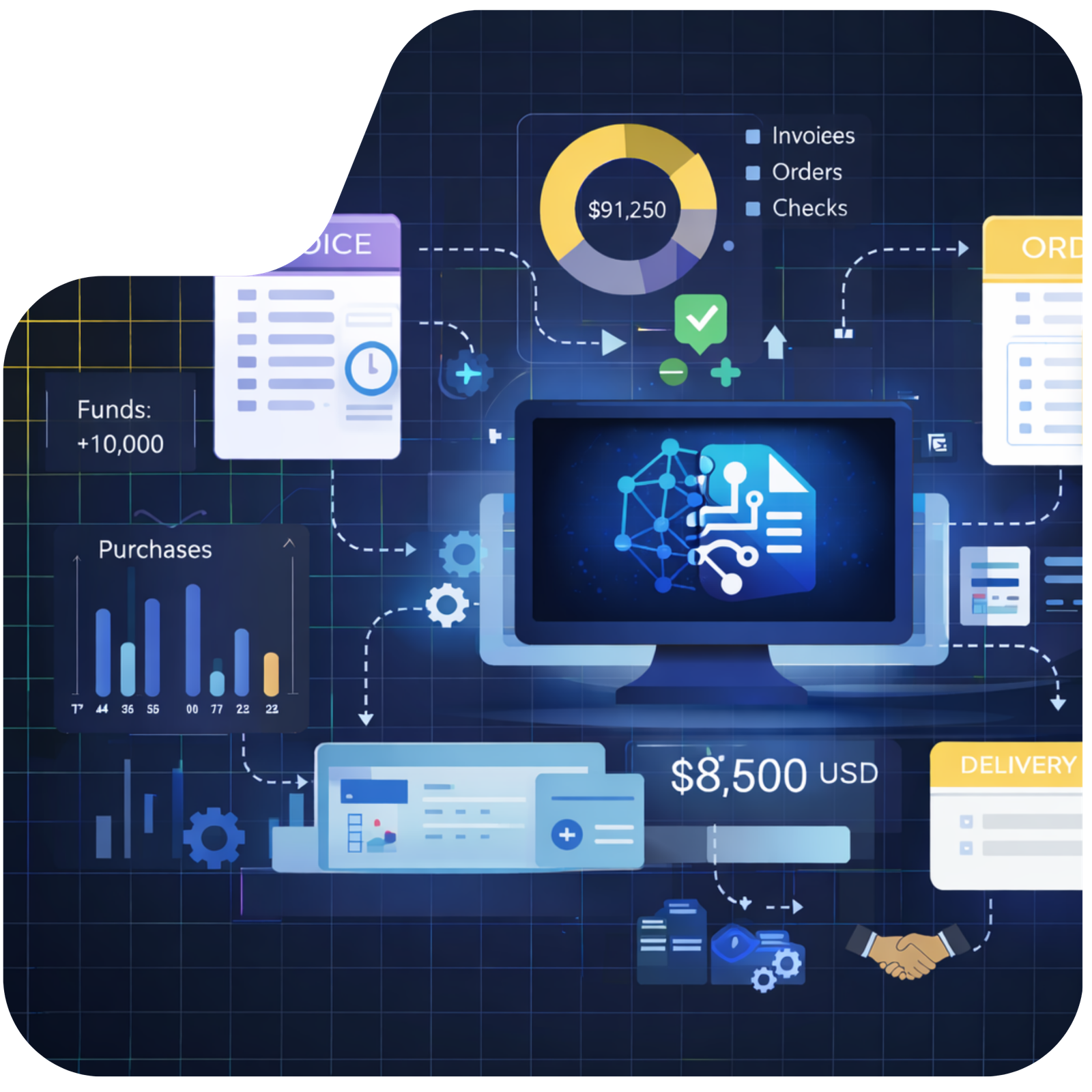
DocWeaver hero illustration
Infor SAP Microsoft NetSuite Oracle Epicor Sage QAD Syspro Plex Syteline Odoo Infor CloudSuite Enterprise Infor CloudSuite Distribution IFS Deltek Epicor Kinetic SAP S/4 HANA JobBoss Microsoft Finance and Operations

Manual Document Entry Slows Down Your Business

Manual re-entry of information from paper, PDFs and emails leads to delays, errors and extra work.

Processing delays

Work slows when documents wait to be reviewed, entered, and approved.

Human errors

Hand-keyed data from paper and PDFs leads to mistakes that are costly to fix.

Disconnected systems

Data stays trapped in email, folders, and notebooks instead of flowing into your ERP.

Inconsistent formats

Documents arrive in different layouts and handwriting styles — requiring manual interpretation every time.

From Documents to ERP—Automatically

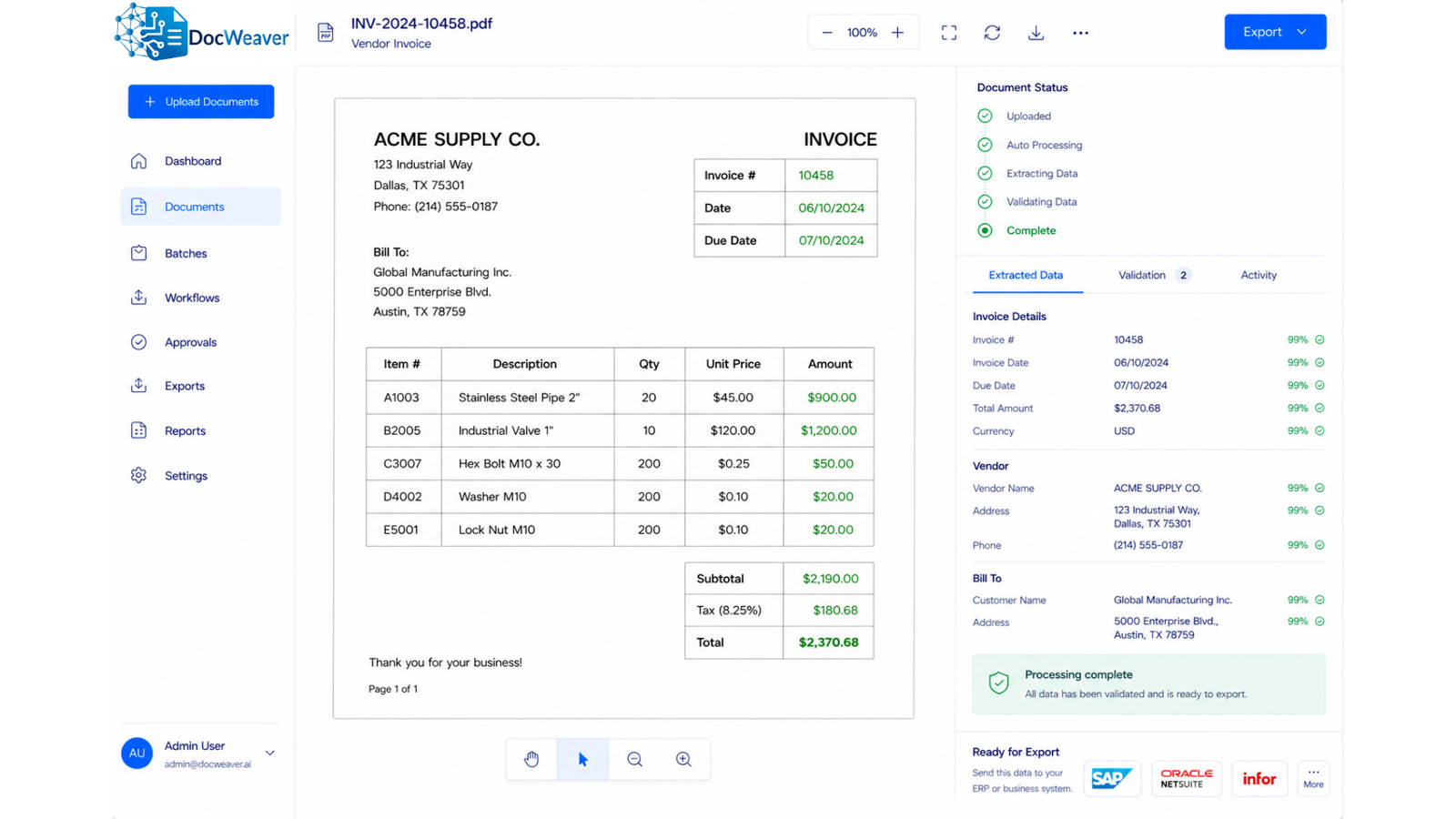
DocWeaver turns incoming documents into structured, validated data—ready to use inside your ERP. No manual entry. No extra steps.
01
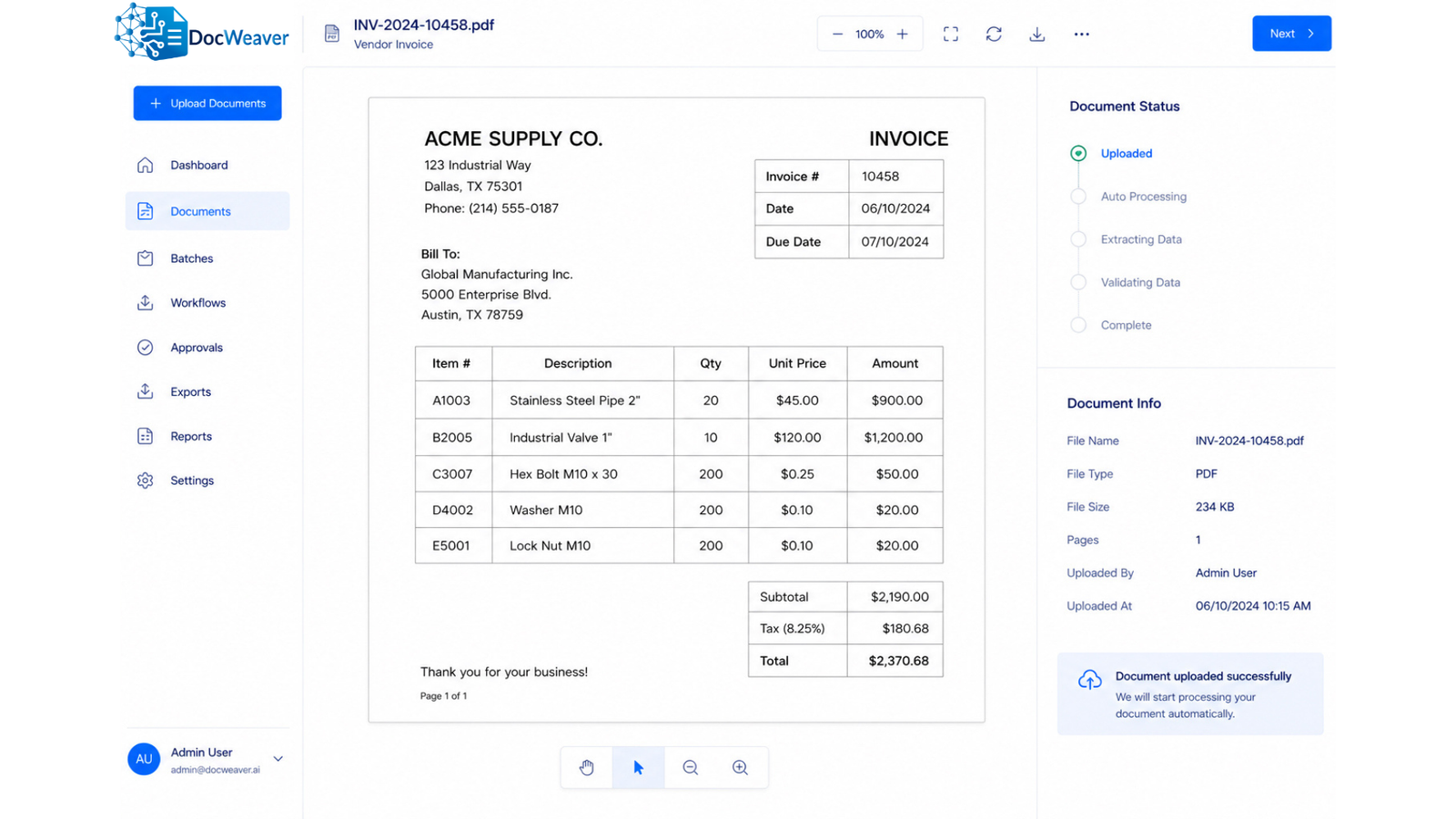
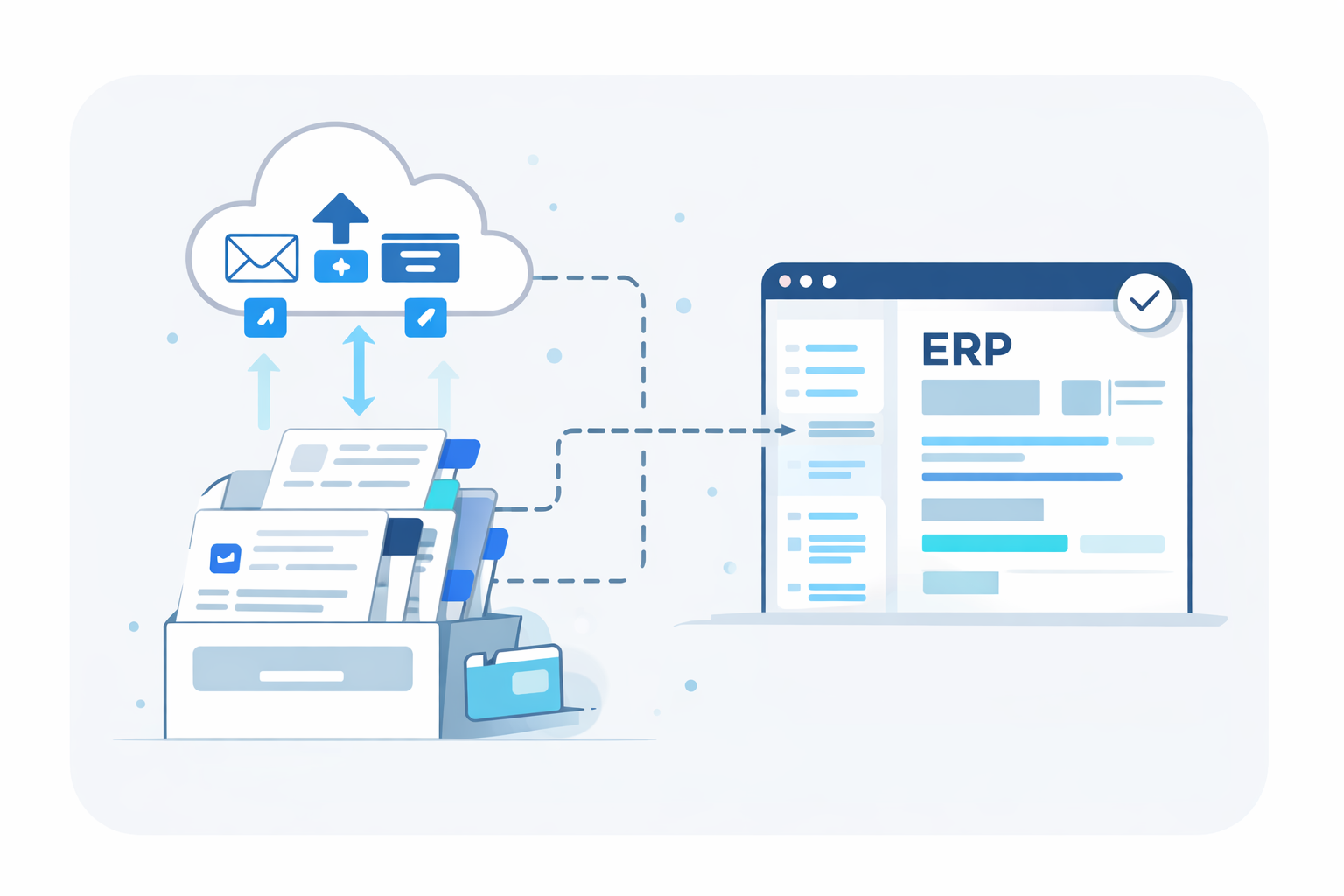
Capture documents Any channel

Capture Documents

Email inboxes, uploads, scans, portals, mobile submissions.
02
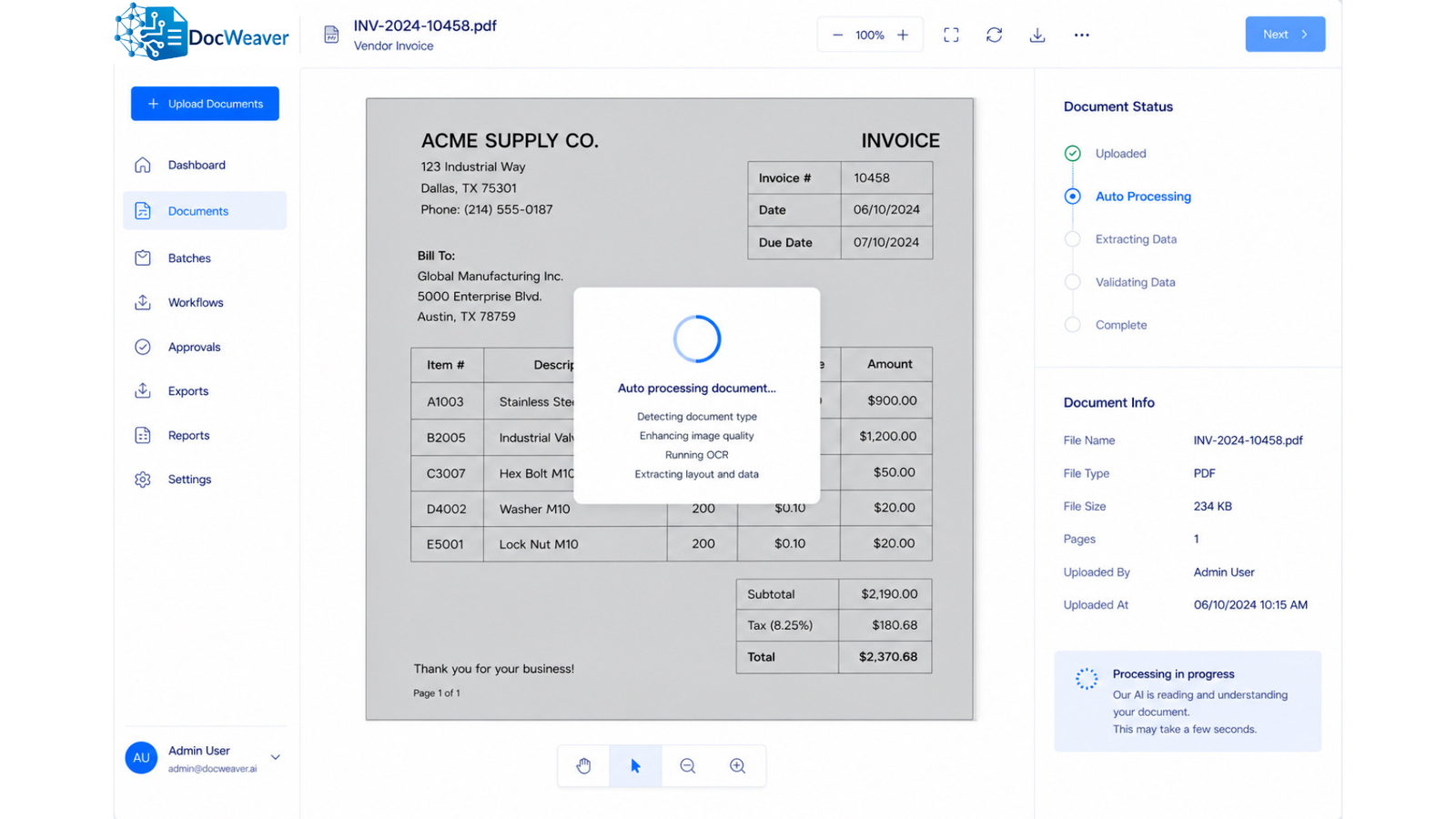
Understand content Beyond OCR

Understand Content

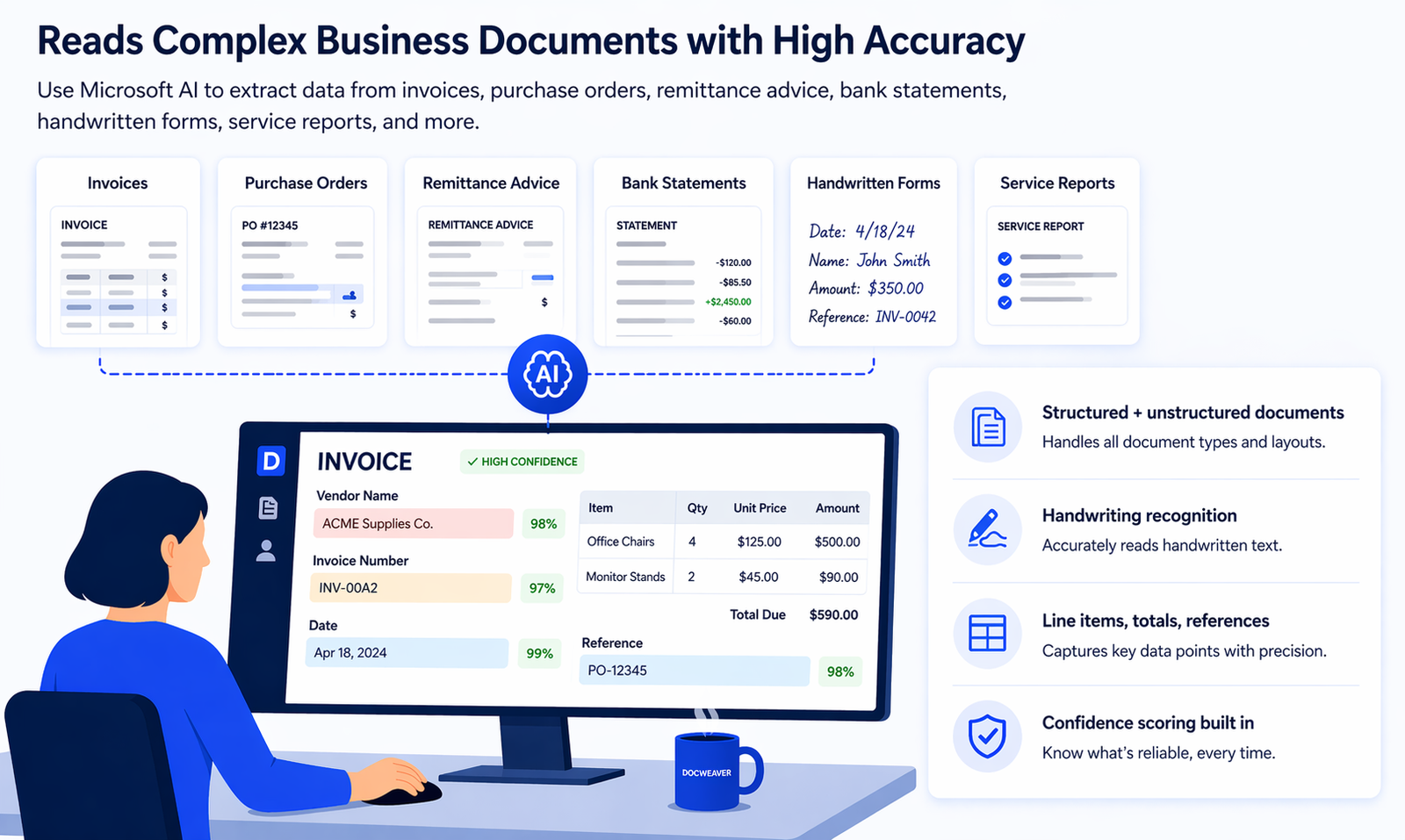
AI reads printed, scanned, and handwritten documents.
03
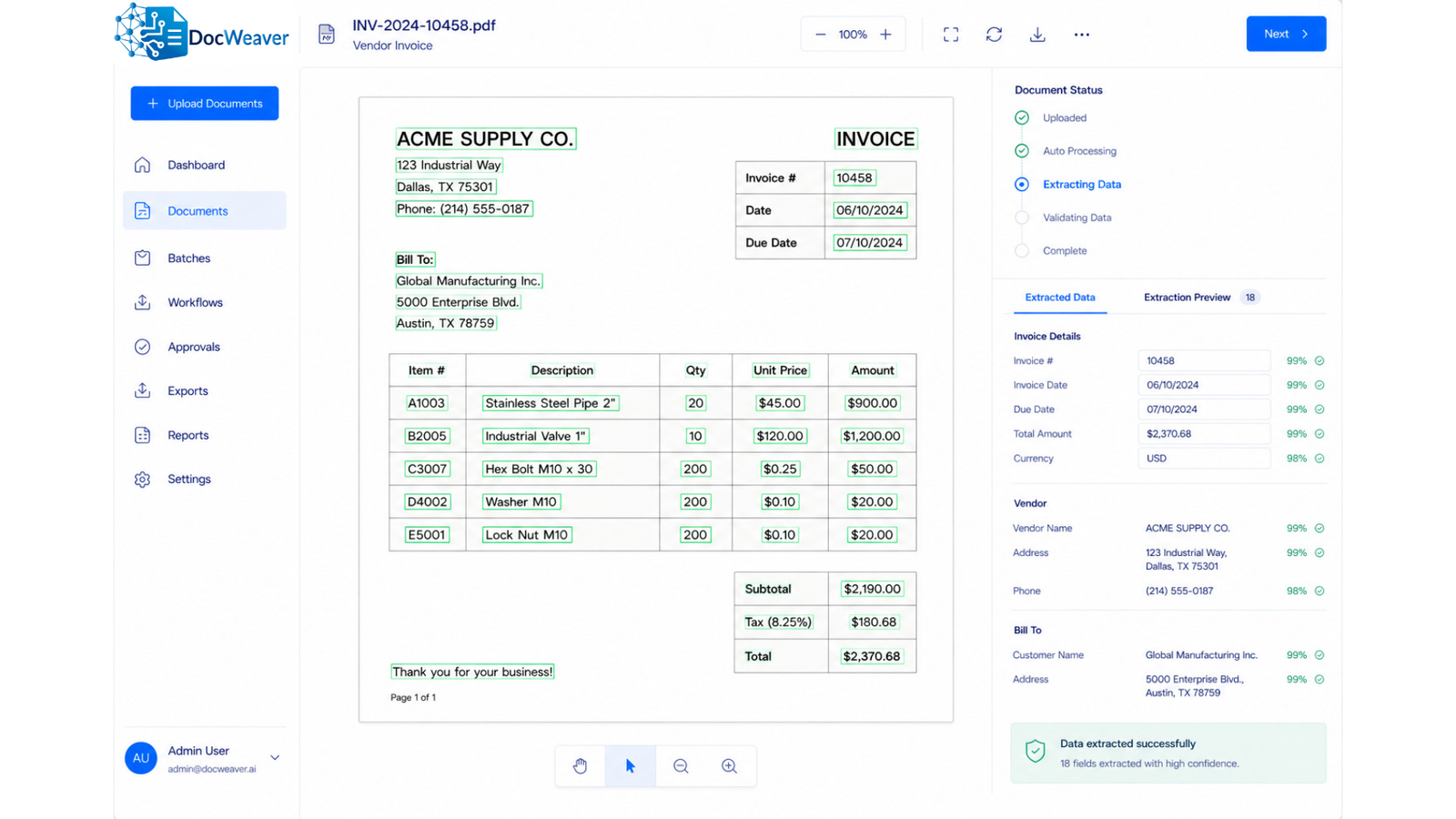
Extract key data Structured output

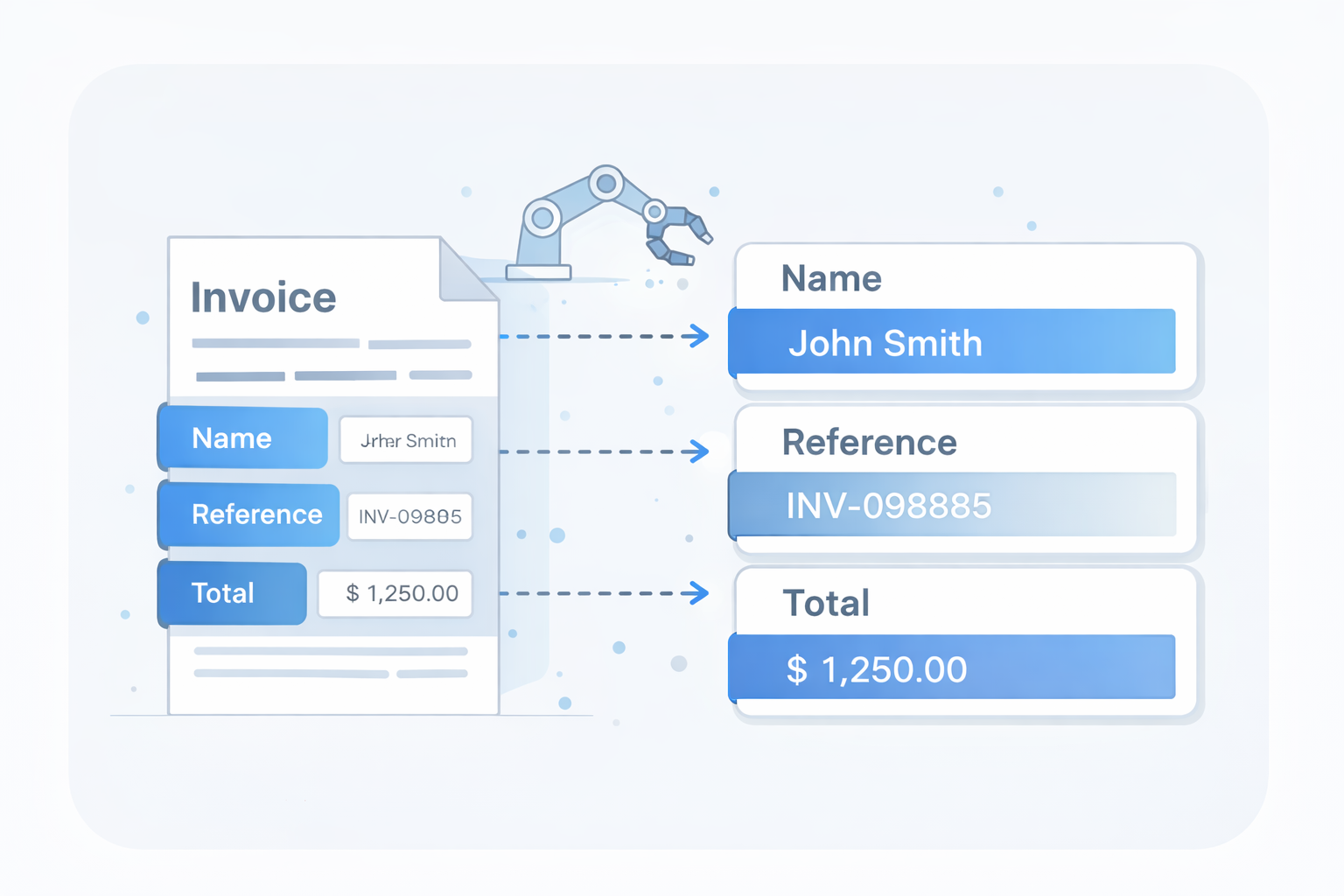
Extract Key Data

PO numbers, invoice totals, item lines, dates, customer info, references.
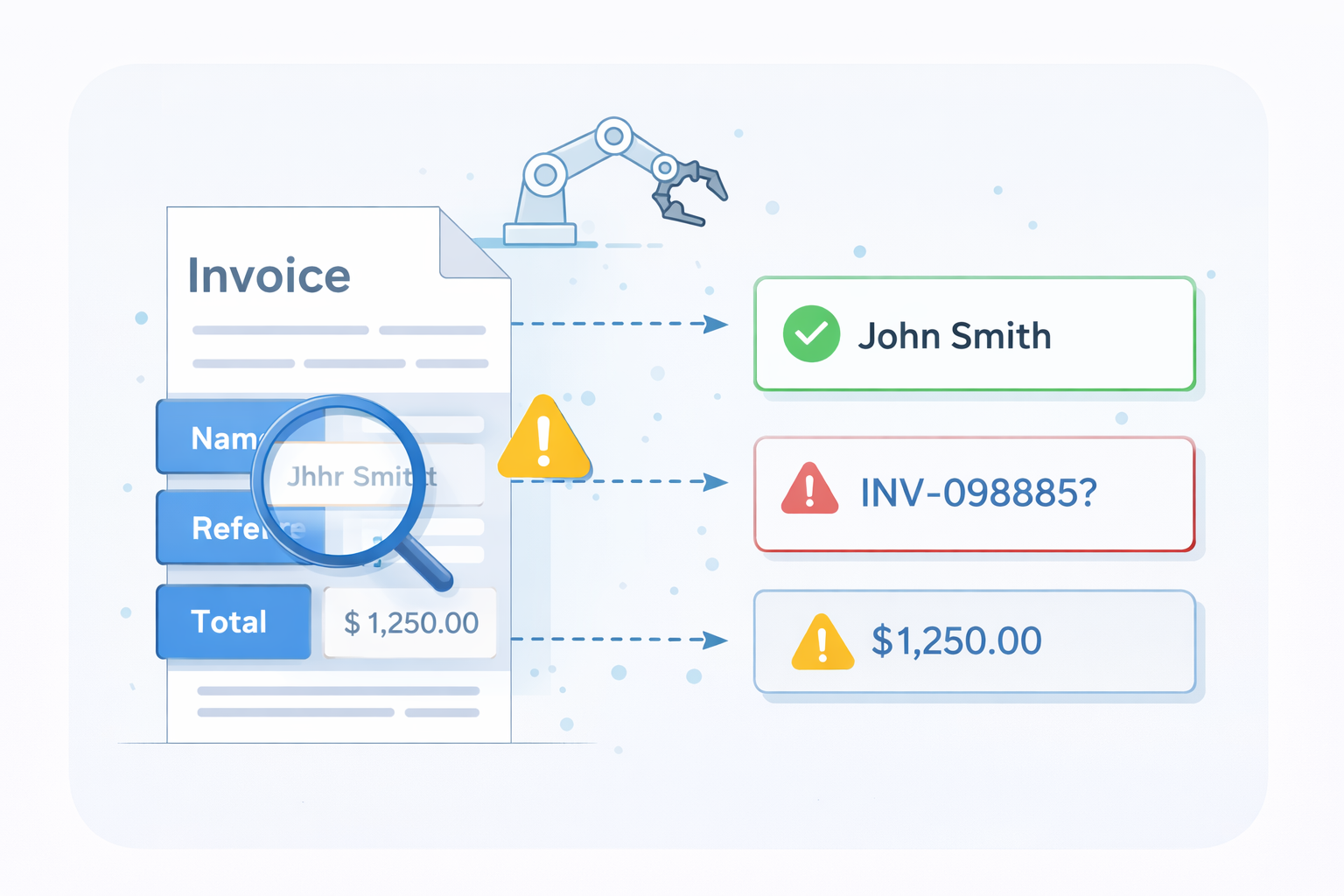
04
Validate information Zero blind trust

Validate Information

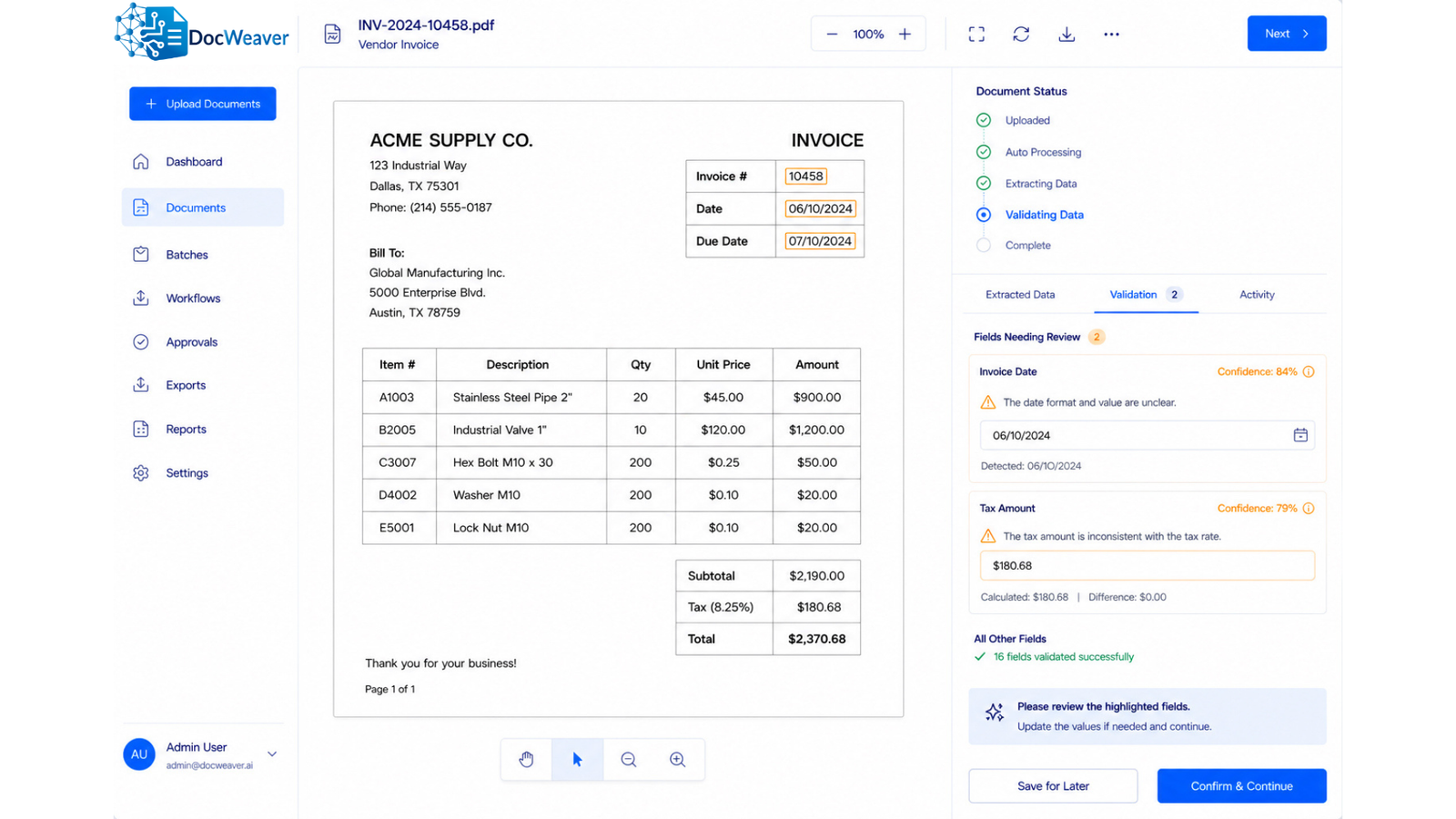
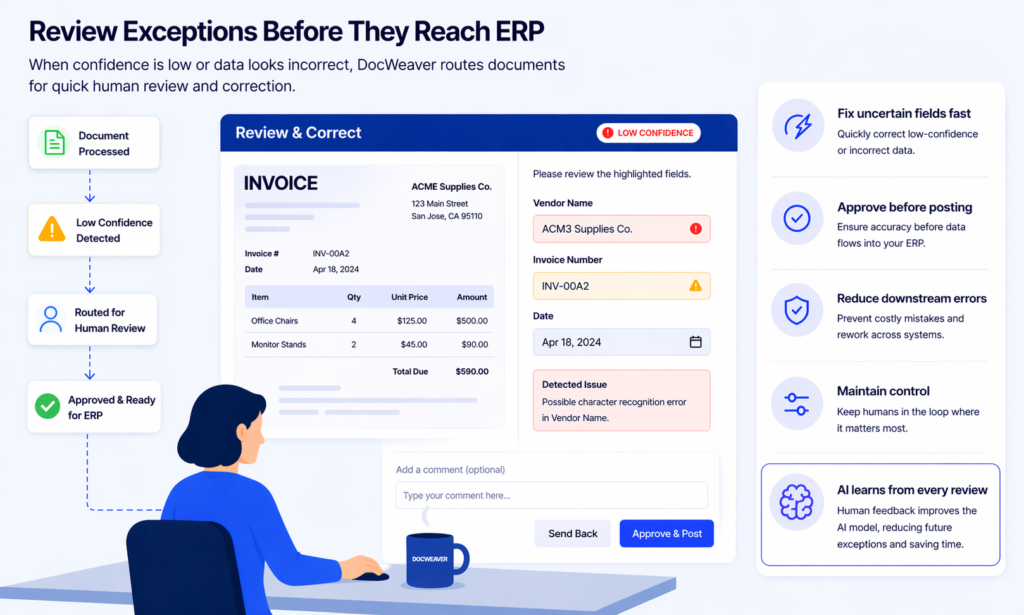
Rules verify accuracy. Low-confidence documents go to human review. High-confidence documents post directly to ERP.
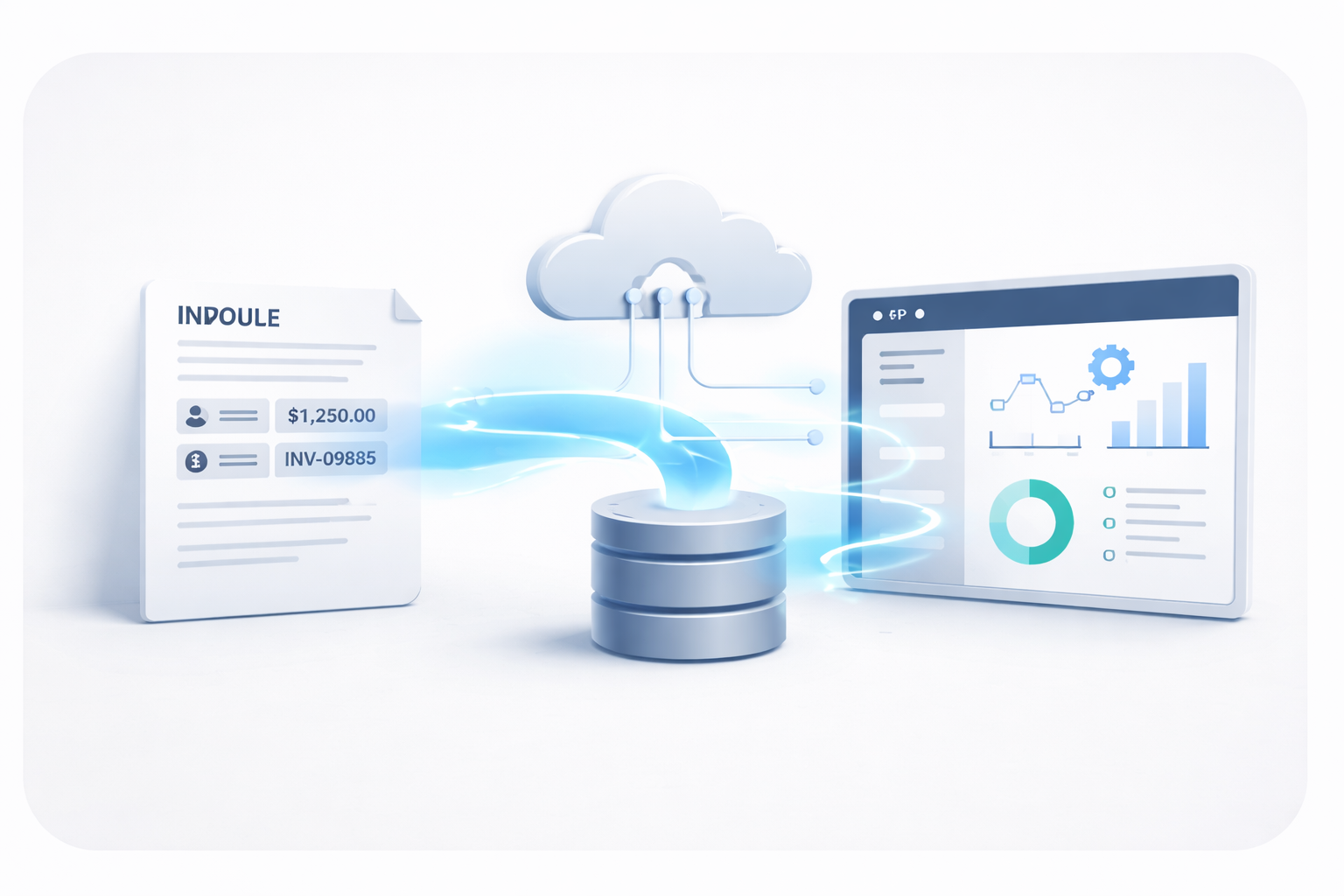
05
Deliver to ERP Live in your ERP

Deliver to ERP

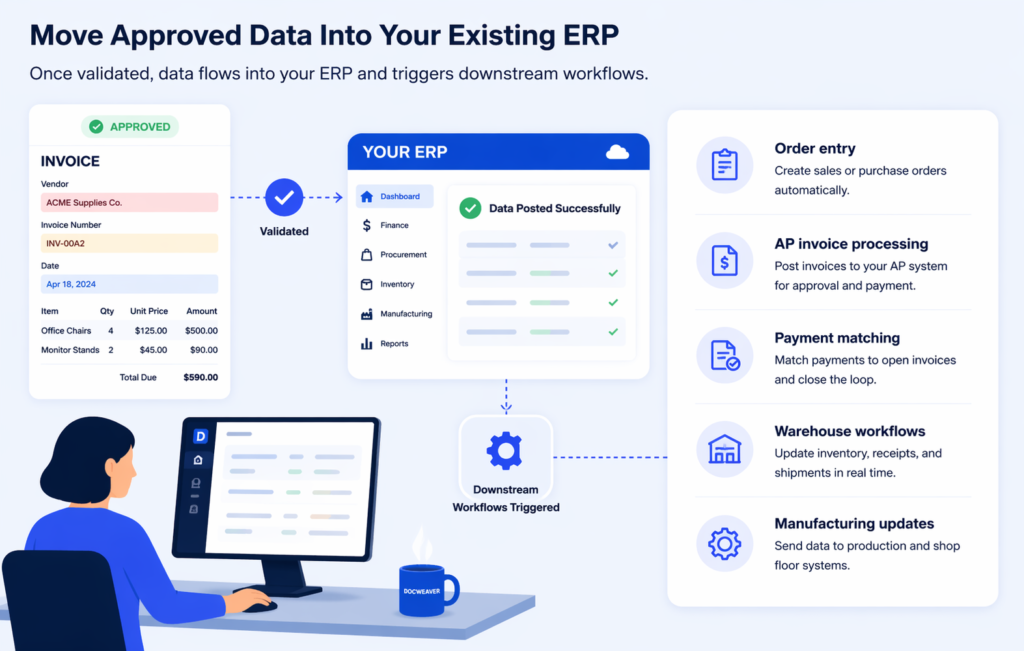
Approved data flows directly into your existing system.

Built for Real Operations. Smarter Over Time.

DocWeaver goes beyond simple text extraction. It understands, validates, and moves data where it actually matters—your ERP.

  • Understands handwritten and complex documents
  • Extracts line-item and structured data accurately
  • Validates before sending—reducing errors and rework
  • Works with your existing systems—no disruption
  • No heavy IT involvement required
  • Works Inside Your Existing ERP
  • No more copy-paste between systems
Why Microsoft AI

Not all AI is created equal.

DocWeaver runs on Azure Document Intelligence — Microsoft's enterprise-grade AI, trained on hundreds of millions of real business documents. It's not experimental. It's the same infrastructure that powers global banks, governments, and Fortune 500 companies.

Verified Microsoft Azure Partner Technology

Built on Microsoft for Security and Scale

Powered by Microsoft Technology you already trust.
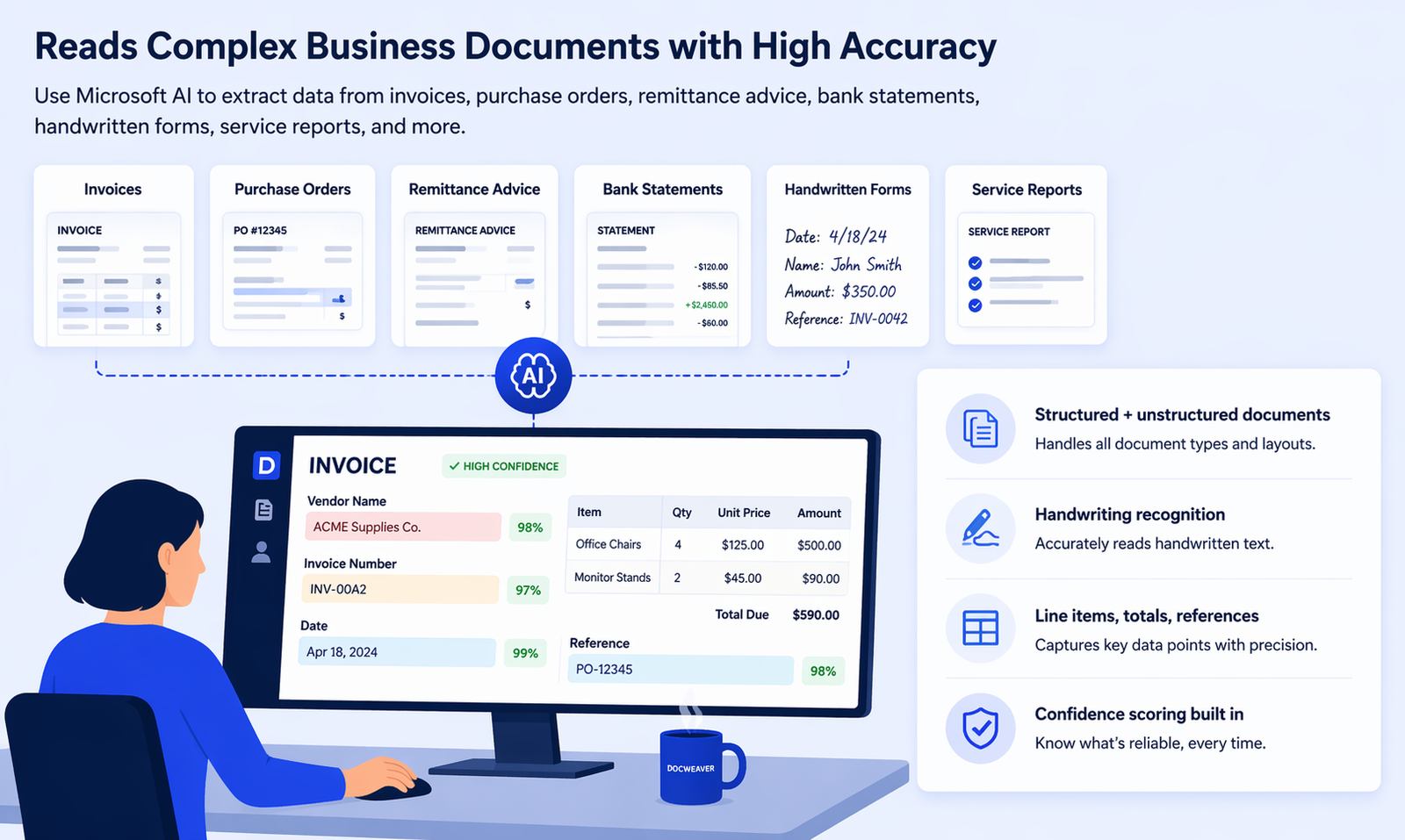
Microsoft Azure Document Intelligence
100M+
Documents trained on
~100%
Target accuracy for financials

Pre-trained on 100M+ business documents

Microsoft's AI didn't learn from your documents alone. It was trained on hundreds of millions of invoices, contracts, receipts, and forms from across the world. DocWeaver inherits that expertise on day one.

Immediate accuracy

Understands documents — not just text

Basic scanning reads text. Microsoft's AI understands it — identifying vendor names, totals, PO numbers, and dates from any layout, without templates or rigid formatting rules.

Beyond OCR

Built-in confidence scoring

Every extracted field gets a confidence score. DocWeaver uses this to auto-post high-confidence data and flag uncertain fields for human review — before anything reaches your ERP.

Zero blind trust

Enterprise security, by default

Your documents are processed on Microsoft's Azure infrastructure — the same environment trusted by banks and governments worldwide. Enterprise-grade security, without the enterprise overhead.

Azure-backed

Reads print, scan, and handwriting

PDFs, scanned images, mobile photos, handwritten forms — Microsoft's models handle them all. The AI adapts to your documents, not the other way around.

Any format

Gets smarter with every document

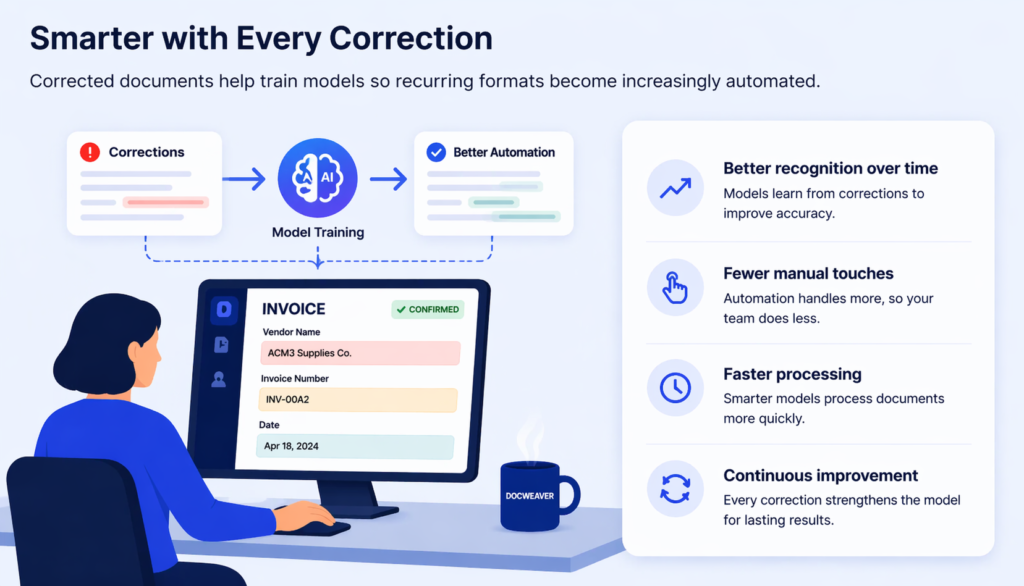
As DocWeaver processes more of your specific documents, accuracy improves. Human-reviewed corrections feed back into the model — the system learns your business over time.

Continuously improving

Works Across Finance and Operational Documents

From invoices to handwritten field forms—DocWeaver captures and sends data into your ERP.
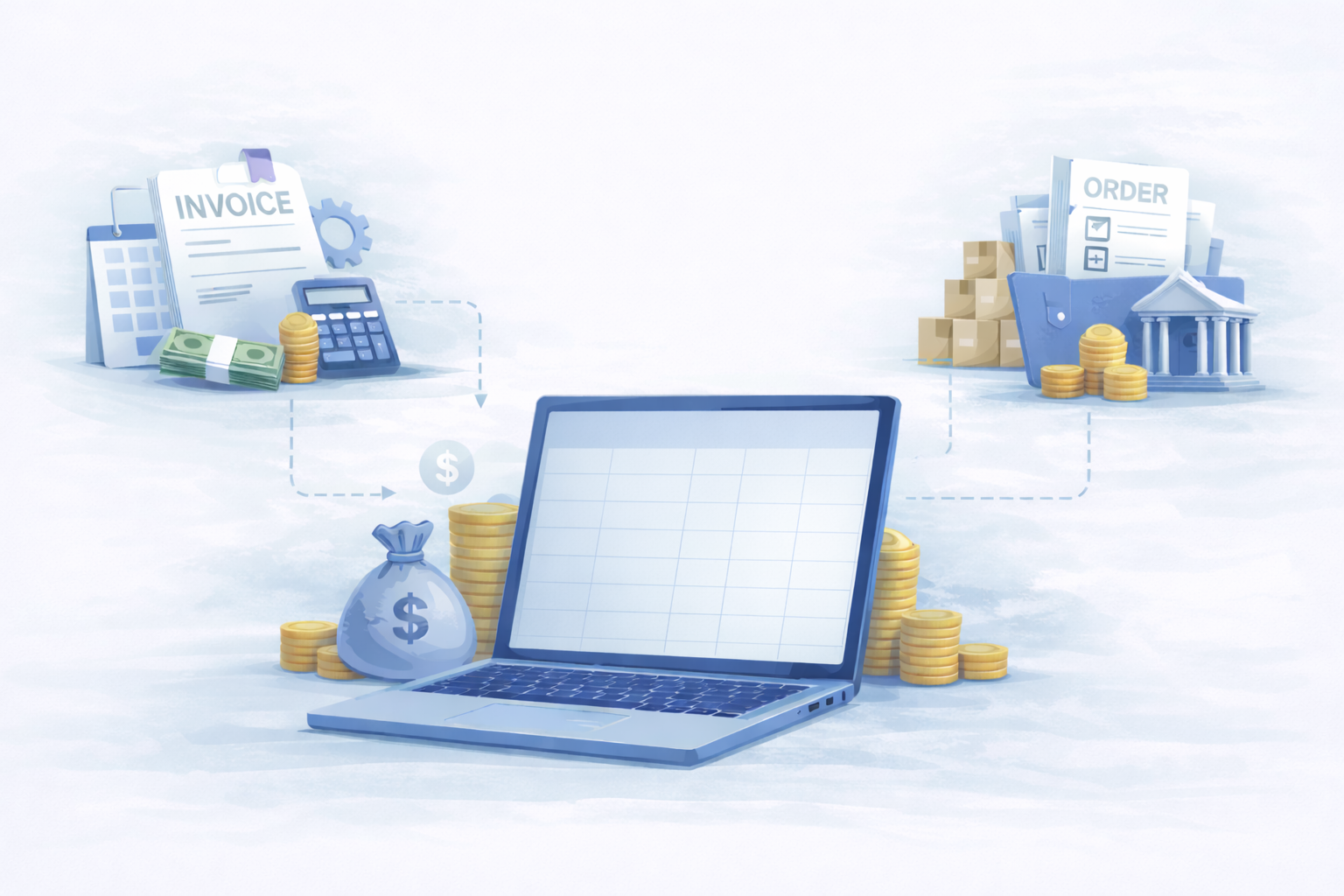
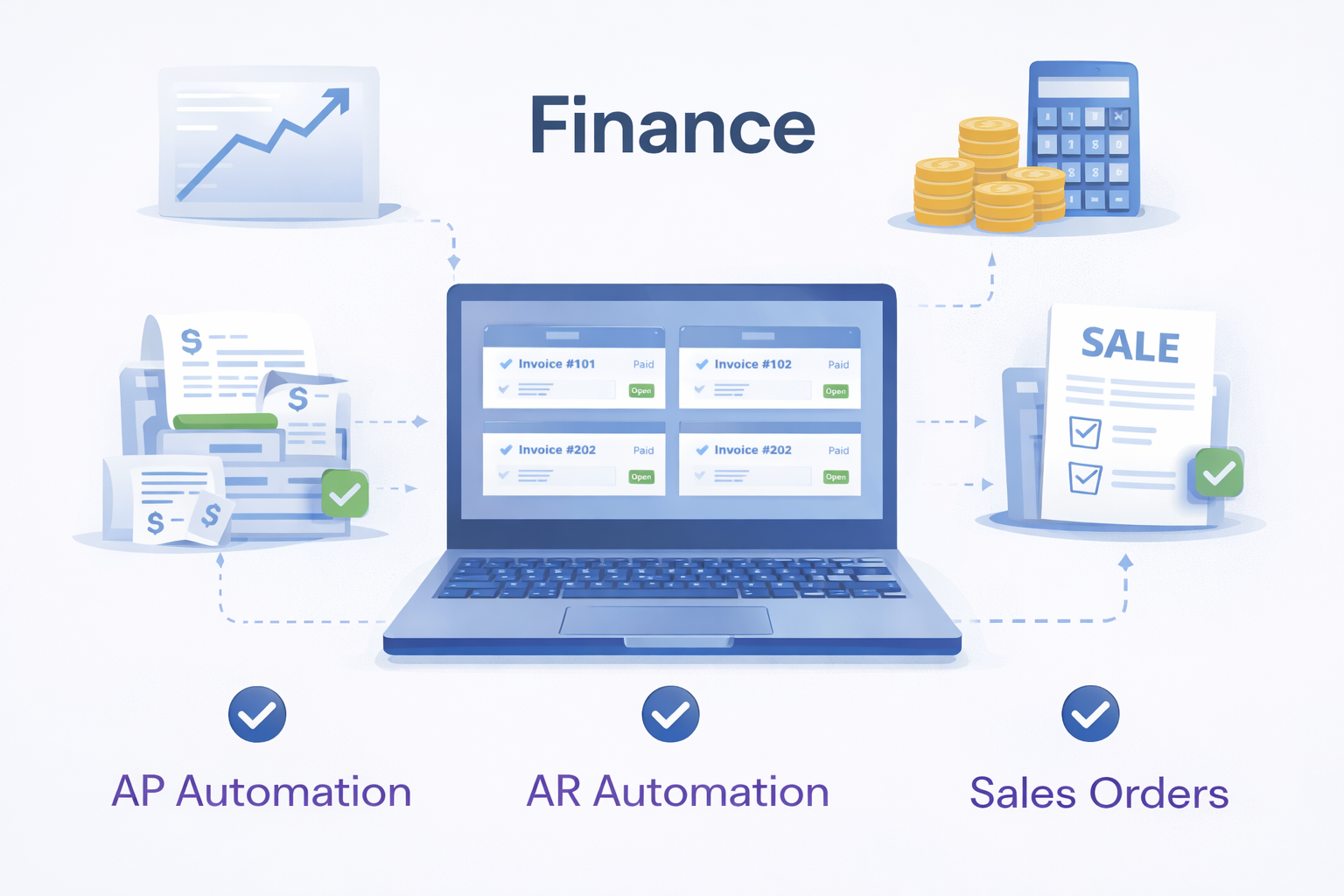
Finance

Finance

  • AP invoices
  • AR remittance advice
  • Statements
  • Credit notes
Sales

Sales / Customer Service

  • Purchase Orders
  • Order Forms
  • Quote Requests
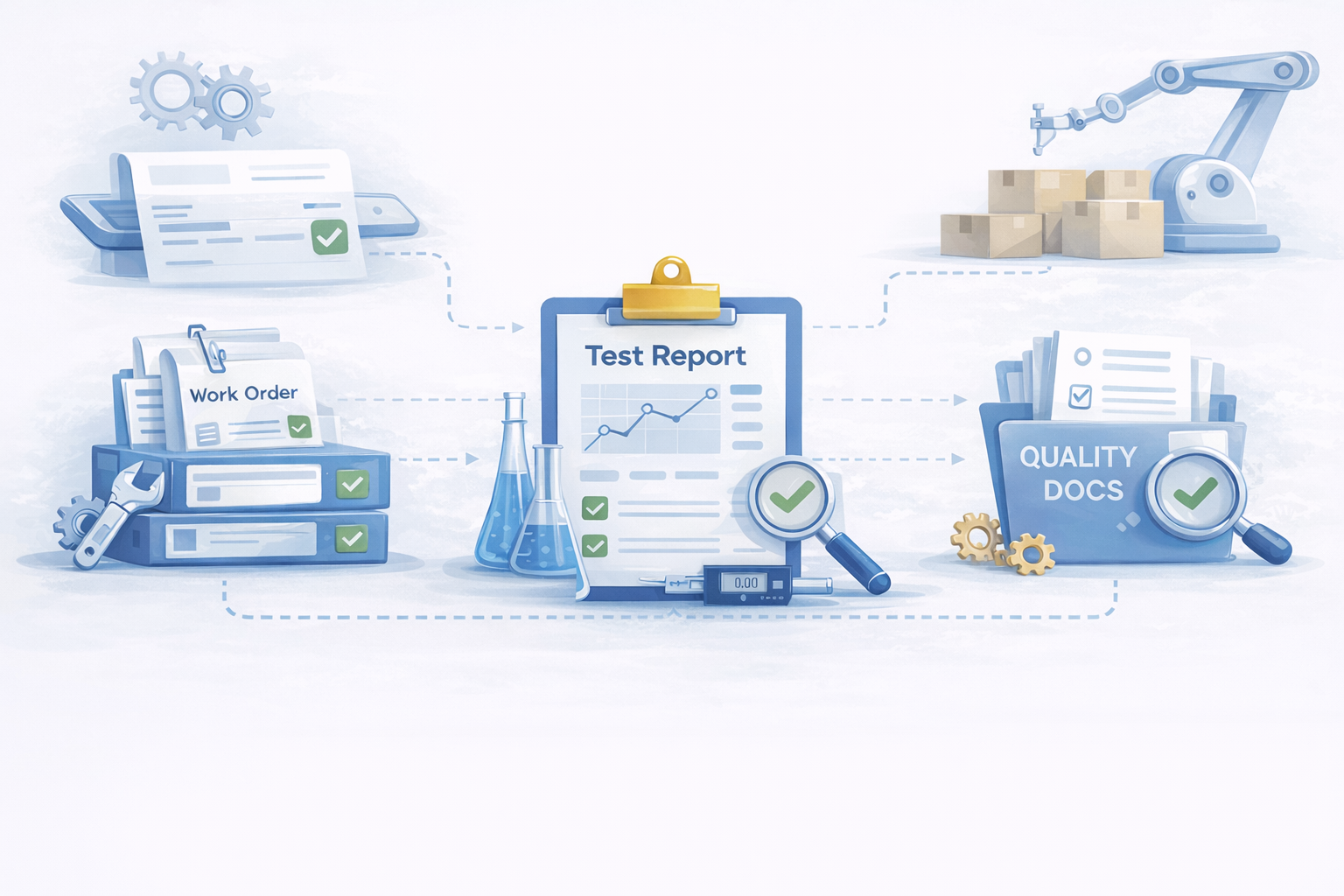
Manufacturing

Manufacturing

  • Work Orders
  • Test Reports
  • Quality Documents
  • Supplier Forms
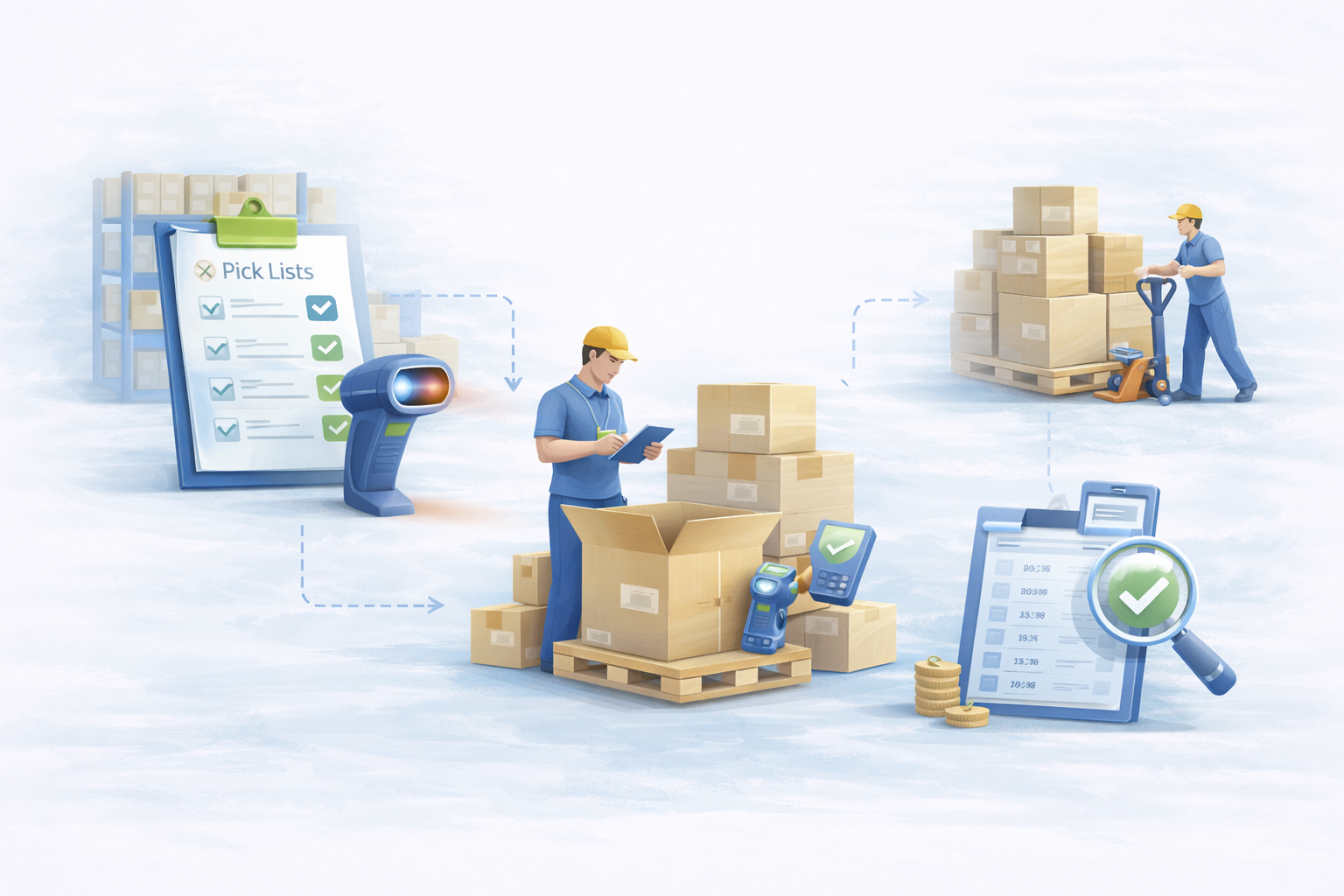
Warehouse

Warehouse / Logistics

  • Delivery Notes
  • Pick Lists
  • Pack Lists
  • Shipping Documents
  • Receiving Forms
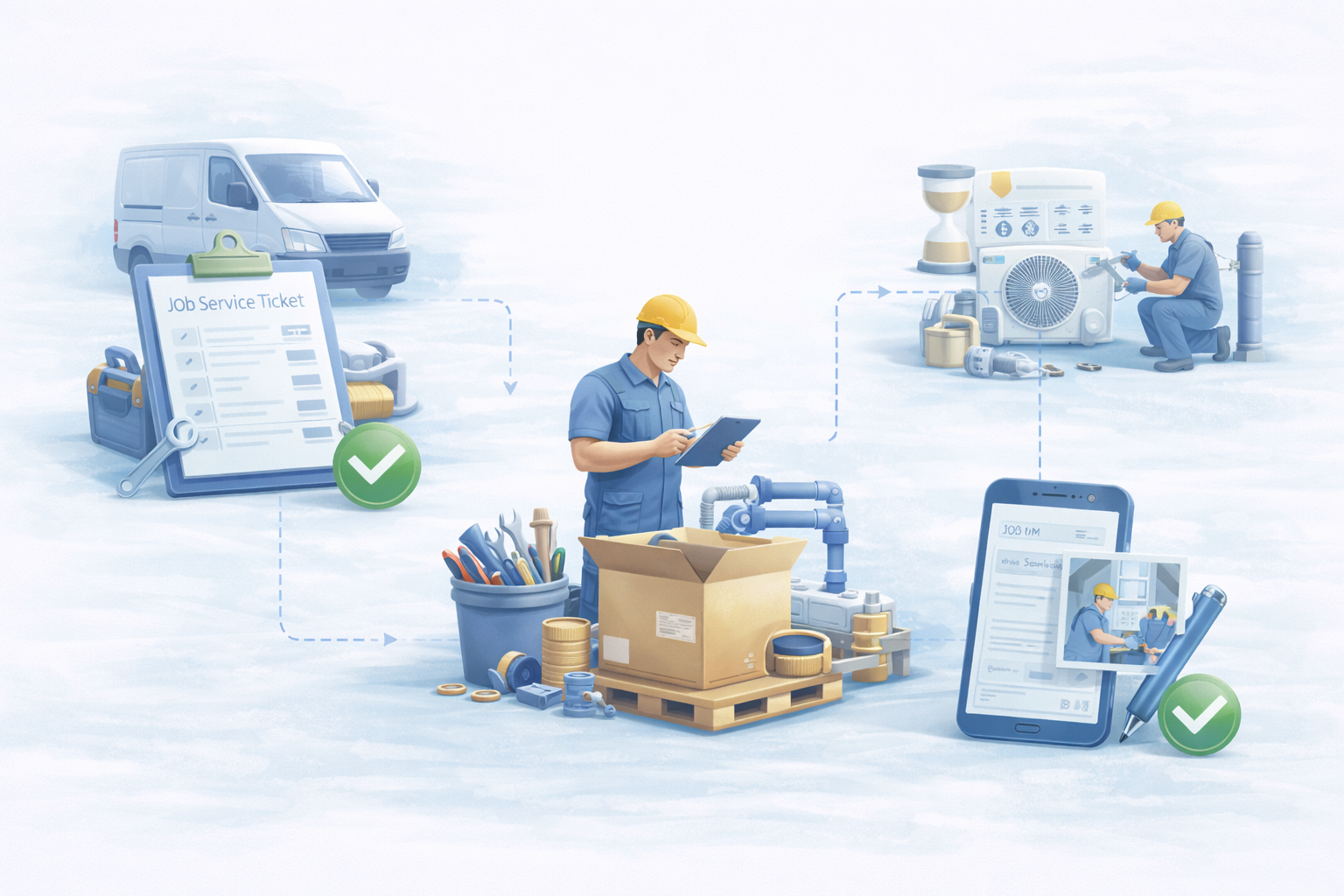
Field Service

Field Service

  • Service Reports
  • Time Sheets
  • Job Notes
  • Material Usage Forms

Intelligent Automation with Human Control

DocWeaver automates document processing end-to-end, while routing exceptions, approvals, and low-confidence data to the right people when needed.
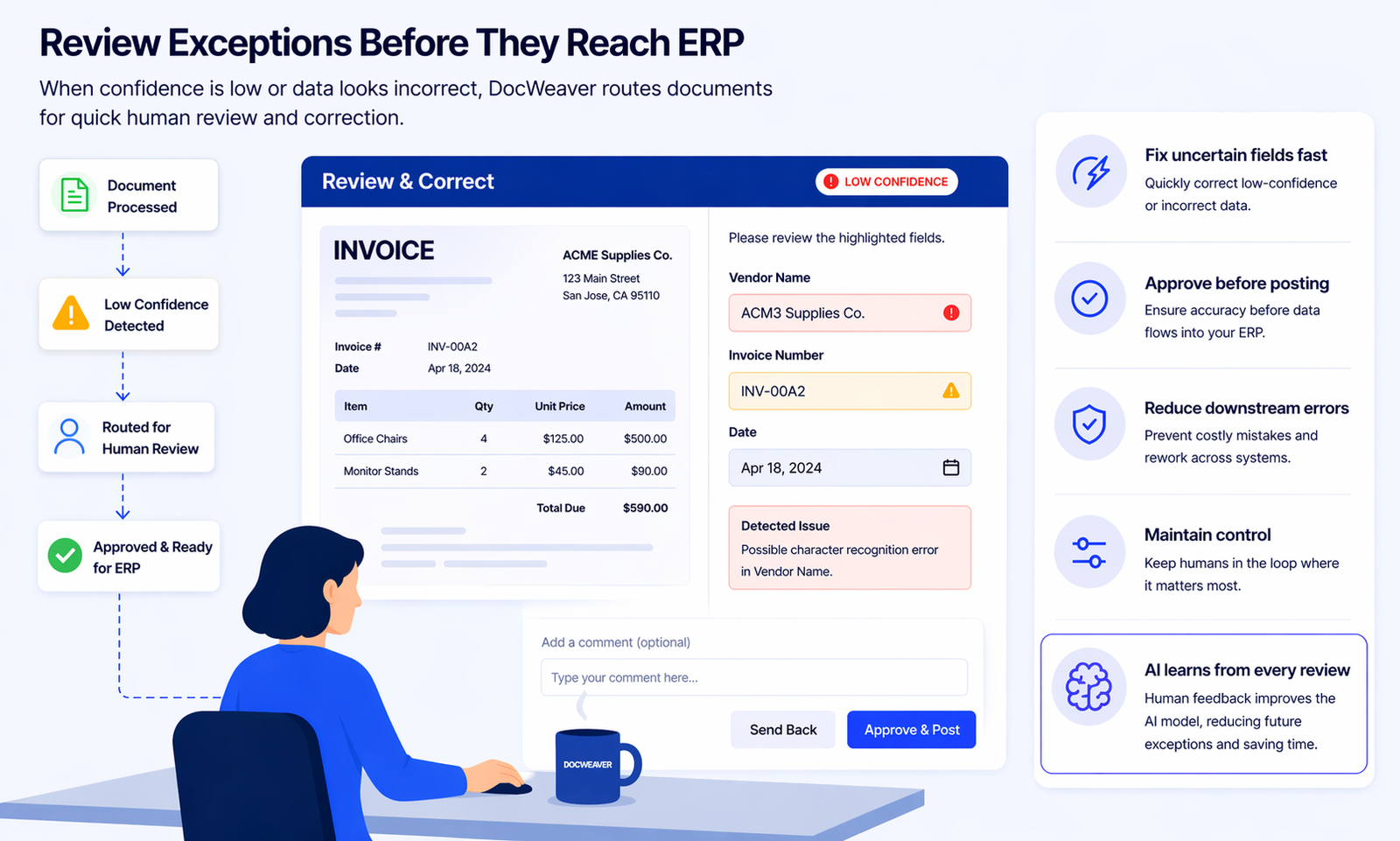
Human-in-the-Loop Validation

Human-in-the-Loop Validation

Low-confidence fields and exceptions route to your team — never to your ERP — until verified.
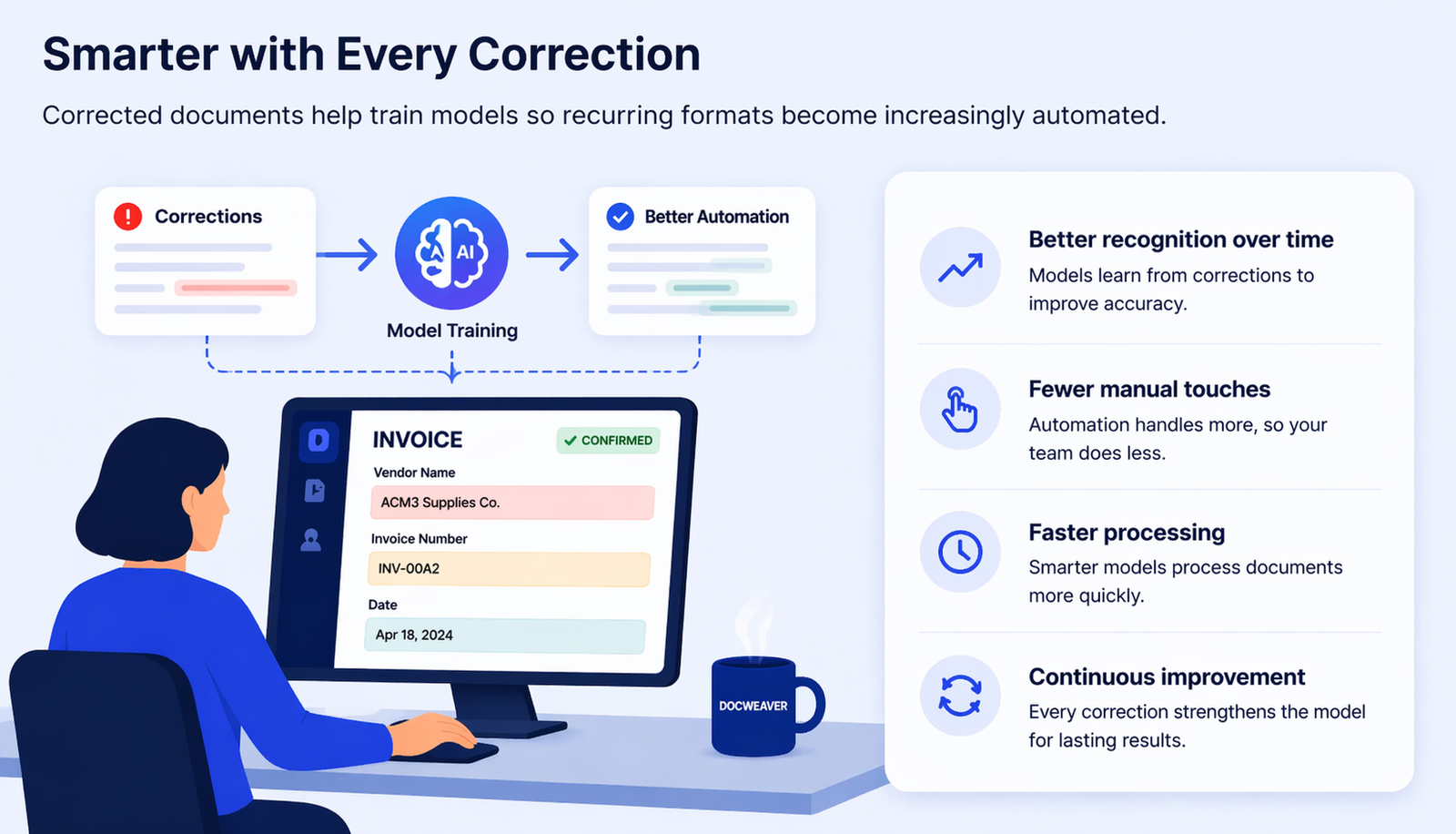
Learns and Improves

Learns and Improves Over Time

Every human correction feeds back into the model. Accuracy compounds with use.
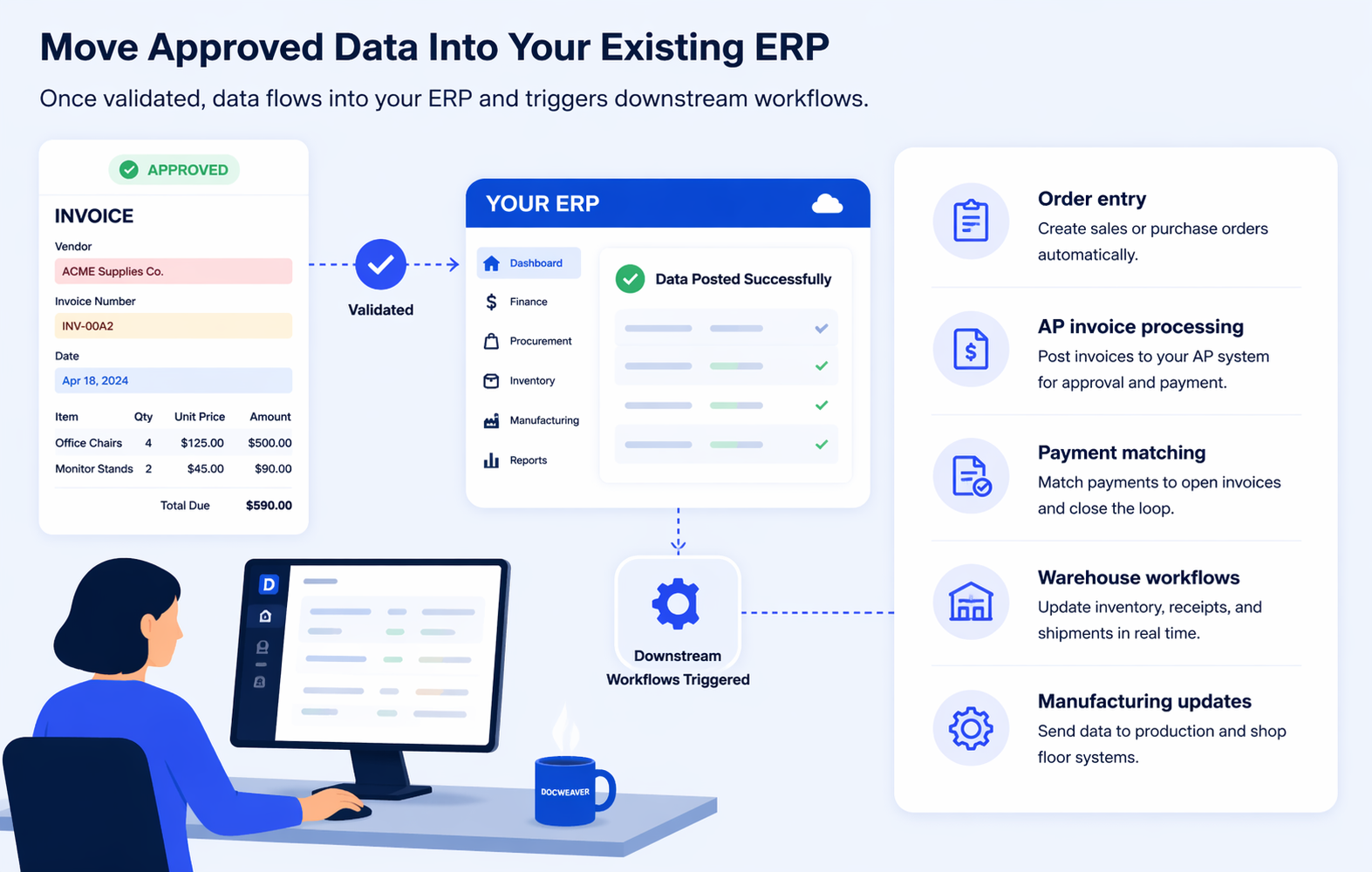
Workflow Automation

Workflow Automation + ERP Posting

Approved data flows automatically into your ERP with the right routing, approvals, and field mapping.

DocWeaver is designed to process the majority of documents automatically. Human review is only triggered for exceptions, low-confidence fields, or approval workflows.

Fits Into Your Existing Process

DocWeaver works with your current systems and workflows, so automation doesn't mean starting over.
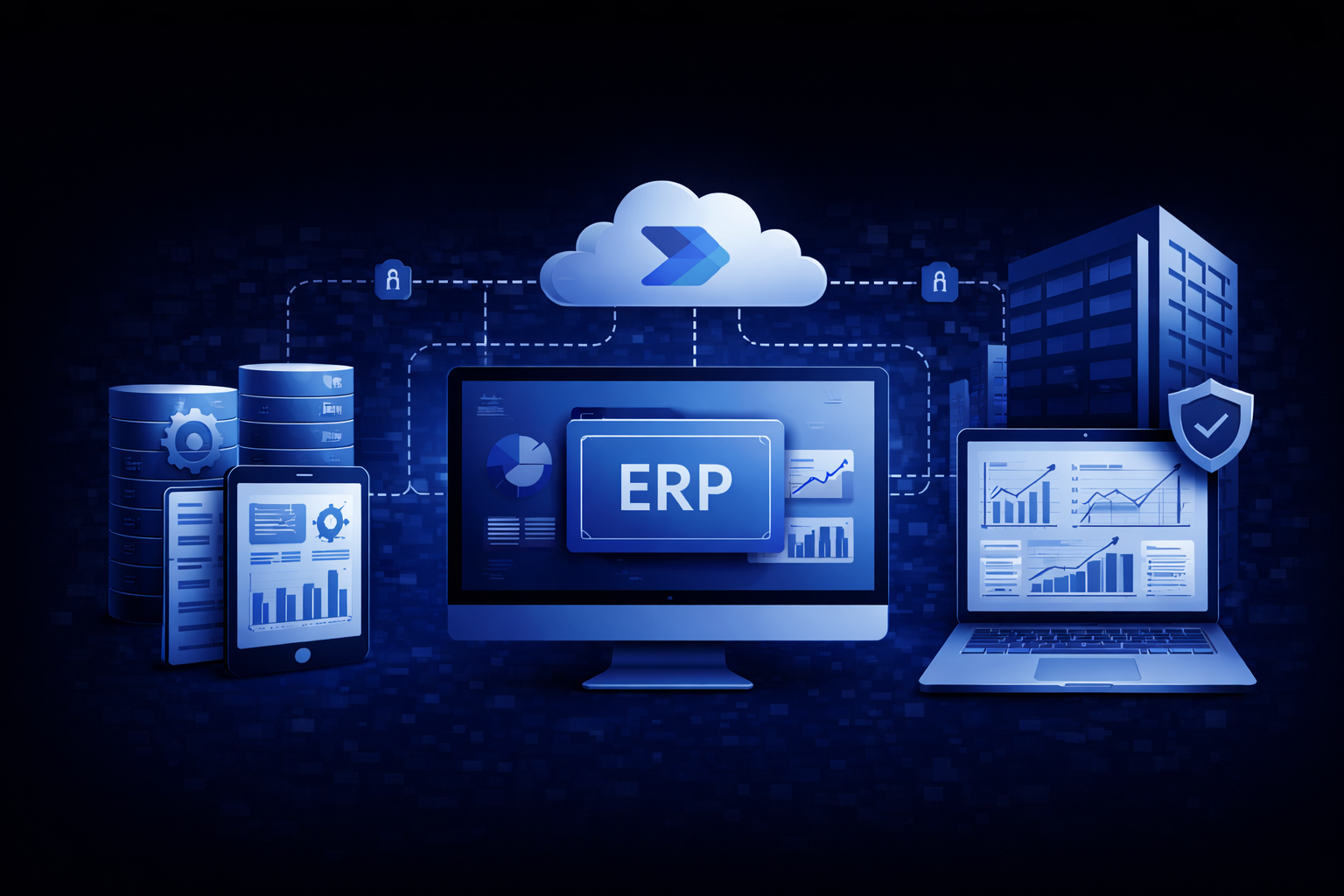
ERP Integration

ERP Integration

Connect processed document data to your ERP so information stays centralized and usable.

Seamless Workflow

Seamless Workflow

Support existing approval and review steps instead of forcing teams into an entirely new process.

Flexible Setup

Flexible Setup

Adapt outputs, routing, and field mapping to the way your documents and teams already work.

Frequently Asked Questions

What exactly does Microsoft have to do with DocWeaver? +
Microsoft built a sophisticated AI service called Azure Document Intelligence — part of their Azure cloud platform, the same infrastructure that banks, governments, and global enterprises use. Microsoft trained this AI on millions of real business documents so it already knows how to read and understand them. DocWeaver is the workflow layer that connects Microsoft's reading capability to your ERP so data flows automatically. You get Microsoft's AI power without needing a Microsoft enterprise contract or an IT department to run it.
Is DocWeaver just another OCR tool? +
No — and this is one of the most important distinctions. Basic OCR just converts an image of text into text. DocWeaver goes several steps further: it understands what it reads, extracts the specific data fields you care about (vendor name, totals, PO numbers, dates), validates that information against your business rules, and pushes approved data directly into your ERP — automatically. Think of OCR as reading. DocWeaver reads, understands, and acts.
Can it read handwritten documents? +
Yes. Microsoft's models handle printed, scanned, and many types of handwritten documents. PDFs, scanned images, mobile phone photos, and handwritten forms are all supported. The AI adapts to your documents — you don't have to adapt your documents to the AI. If handwriting is unusually difficult to read, DocWeaver flags that specific field for a quick human review rather than guessing wrong.
Can it handle all our different document formats? +
Yes. Microsoft's Document Intelligence was trained on massive variety — your supplier's invoices don't need to look the same as each other. It handles invoices, receipts, purchase orders, delivery notes, contracts, bank statements, and more. The only time it flags something for human review is when scan quality is very poor — and even then, it tells you exactly which field it's uncertain about.
We have custom forms unique to our industry. Can DocWeaver handle those? +
Yes. Microsoft's Document Intelligence includes Custom Models — meaning we can train the AI on your specific forms. We show it a set of labeled examples and it learns to extract exactly what you need from your format, every time. You don't need to redesign your forms or standardize your documents. For standard documents like invoices, DocWeaver works immediately. For custom industry-specific forms, we configure it during setup.
We're worried about AI errors going into our ERP. How does DocWeaver handle that? +
That's exactly the right concern — and it's one Microsoft designed a specific answer for. Every piece of data the AI extracts comes with a confidence score. DocWeaver uses that score to automatically route uncertain extractions to a human reviewer before anything gets posted to your ERP. Nothing enters your system that hasn't been verified at high confidence or reviewed by a person. For financial documents, Microsoft's own recommendation is targeting close to 100% accuracy — and that's the standard we build to.
Which ERP systems does DocWeaver connect to? +
DocWeaver connects to your existing ERP without requiring an overhaul. Supported systems include Infor, SAP, Microsoft Dynamics, NetSuite, Oracle, Epicor, Sage, and many more — if your business runs on an ERP, chances are DocWeaver works with it. It slots into your current workflow and adds automation where it counts most, with no need to replace or reconfigure what you already have.
Will it work with our current workflow? +
Yes — DocWeaver is designed to fit around your existing process, not replace it. Documents can come in via email, upload, scan, or mobile photo. Approved data posts directly to your ERP. Human review only kicks in when the AI's confidence is low or an approval step is required. Your team doesn't need to change how they work — DocWeaver removes the manual steps in between.
How long does implementation take? +
For standard document types like invoices and purchase orders, DocWeaver can be up and running quickly — Microsoft's prebuilt models require no training from scratch. For custom or industry-specific documents, there's a short configuration period during setup. Either way, there's no large IT project required and no need to overhaul your existing systems.
Does someone have to review every document? +
No. The vast majority of documents process automatically. Human review only kicks in when the AI's confidence is low, data looks unusual, or an approval step is required by your business rules. This keeps accuracy high without your team becoming a bottleneck on everyday documents. Most teams find that only a small percentage of documents need any human attention at all.
Is this AI going to replace our people? +
No. DocWeaver handles the repetitive, high-volume work: reading documents, extracting data, validating it, and posting it to your ERP. Your team shifts from doing data entry to reviewing exceptions — the cases the AI isn't confident about, and approvals that genuinely need human judgment. Most teams handle significantly more volume without adding headcount, and the work becomes more meaningful.
How secure is our data? +
DocWeaver is built on Microsoft's Azure infrastructure — the same environment that banks, governments, and Fortune 500 companies trust. Data handling is configured to align with your company's own security policies. You're not relying on a startup's security promises; you're on Microsoft's infrastructure, with enterprise-grade compliance and data protection standards.
Is DocWeaver built for businesses our size? +
Yes. DocWeaver gives small and mid-sized businesses access to the same Microsoft AI infrastructure that large enterprises use — without the enterprise price tag or IT complexity. You get enterprise-grade document intelligence sized and priced for your business. No heavy implementation project, no dedicated IT team required.

See DocWeaver in Action

Discover how your documents can flow directly into your ERP—accurately, automatically, and without complexity.

Book a Demo

Turn Any Document into ERP-Ready Data—Powered by Microsoft AI

Capture, validate, and move document data into your ERP automatically—powered by Microsoft AI.

Manual Document Entry Slows Down Your Business

Manual re‑entry of information from paper, PDFs and emails leads to delays, errors and extra work.

Manual Entry

Teams still re-key data from invoices, forms, and field documents into ERP and business systems.

Inconsistent Formats

Documents arrive in different layouts, file types, and handwriting styles that require manual interpretation.

Processing Delays

Work slows down when documents wait to be reviewed, entered, approved, or passed between teams.

Human Errors

Mistakes happen when data is entered by hand from paper, PDFs, or operational forms.

Disconnected Systems

Important information gets stuck in email, shared folders, printed documents, and notebooks instead of flowing into the ERP.

It’s not just inefficient—it creates avoidable delays across finance, warehouse, factory, and field service workflows.

DocWeaver – How It Works
How It Works

From Documents to ERP—Automatically

DocWeaver turns incoming documents into structured, validated data—ready to use inside your ERP. No manual entry. No extra steps.

Capture Documents
Any channel

Capture Documents

Email inboxes, uploads, scans, portals, mobile submissions.

Understand Content
Beyond OCR

Understand Content

AI reads printed, scanned, and handwritten documents.

Extract Key Data
Structured output

Extract Key Data

PO numbers, invoice totals, item lines, dates, customer info, references.

Deliver to ERP
Live in your ERP

Deliver to ERP

Approved data flows directly into your existing system.

Validate Information
Zero blind trust

Validate Information

Rules verify accuracy. Low-confidence documents go to human review. High-confidence documents post directly to ERP.

Built on Microsoft for Security and Scale

Powered by Microsoft Technology you already trust.

Why Microsoft AI

Not all AI is
created equal.

DocWeaver runs on Azure Document Intelligence — Microsoft's enterprise-grade AI, trained on hundreds of millions of real business documents. It's not experimental. It's the same infrastructure that powers global banks, governments, and Fortune 500 companies.

Verified Microsoft Azure Partner Technology
  • 01
    🧠
    Pre-trained on 100M+ business documents
    Microsoft's AI didn't learn from your documents alone. It was trained on hundreds of millions of invoices, contracts, receipts, and forms from across the world. DocWeaver inherits that expertise on day one.
    Immediate accuracy
  • 02
    📄
    Understands documents — not just text
    Basic scanning reads text. Microsoft's AI understands it — identifying vendor names, totals, PO numbers, and dates from any layout, without templates or rigid formatting rules.
    Beyond OCR
  • 03
    ⚖️
    Built-in confidence scoring
    Every extracted field gets a confidence score. DocWeaver uses this to auto-post high-confidence data and flag uncertain fields for human review — before anything reaches your ERP.
    Zero blind trust
  • 04
    🔒
    Enterprise security, by default
    Your documents are processed on Microsoft's Azure infrastructure — the same environment trusted by banks and governments worldwide. Enterprise-grade security, without the enterprise overhead.
    Azure-backed
  • 05
    ✍️
    Reads print, scan, and handwriting
    PDFs, scanned images, mobile photos, handwritten forms — Microsoft's models handle them all. The AI adapts to your documents, not the other way around.
    Any format
  • 06
    📈
    Gets smarter with every document
    As DocWeaver processes more of your specific documents, accuracy improves. Human-reviewed corrections feed back into the model — the system learns your business over time.
    Continuously improving

Works Across Sales, Operations, and Finance Documents

From invoices to handwritten field forms—DocWeaver captures and sends data into your ERP.

Service Tickets

AP Automation

AR Automation

Work Orders

Test Reports

Delivery Notes

Pick/Pack Lists

Handwritten Forms

Finance

Sales / Customer Service

Manufacturing

Warehouse / Logistics

Field Service

Intelligent Automation with Human Control

DocWeaver automates document processing end-to-end, while routing exceptions, approvals, and low-confidence data to the right people when needed.

DocWeaver is designed to process the majority of documents automatically. Human review is only triggered for exceptions, low-confidence fields, or approval workflows.

Fits Into Your Existing Process

DocWeaver works with your current systems and workflows, so automation doesn’t mean starting over.

ERP Integration
Connect processed document data to your ERP so information stays centralized and usable.
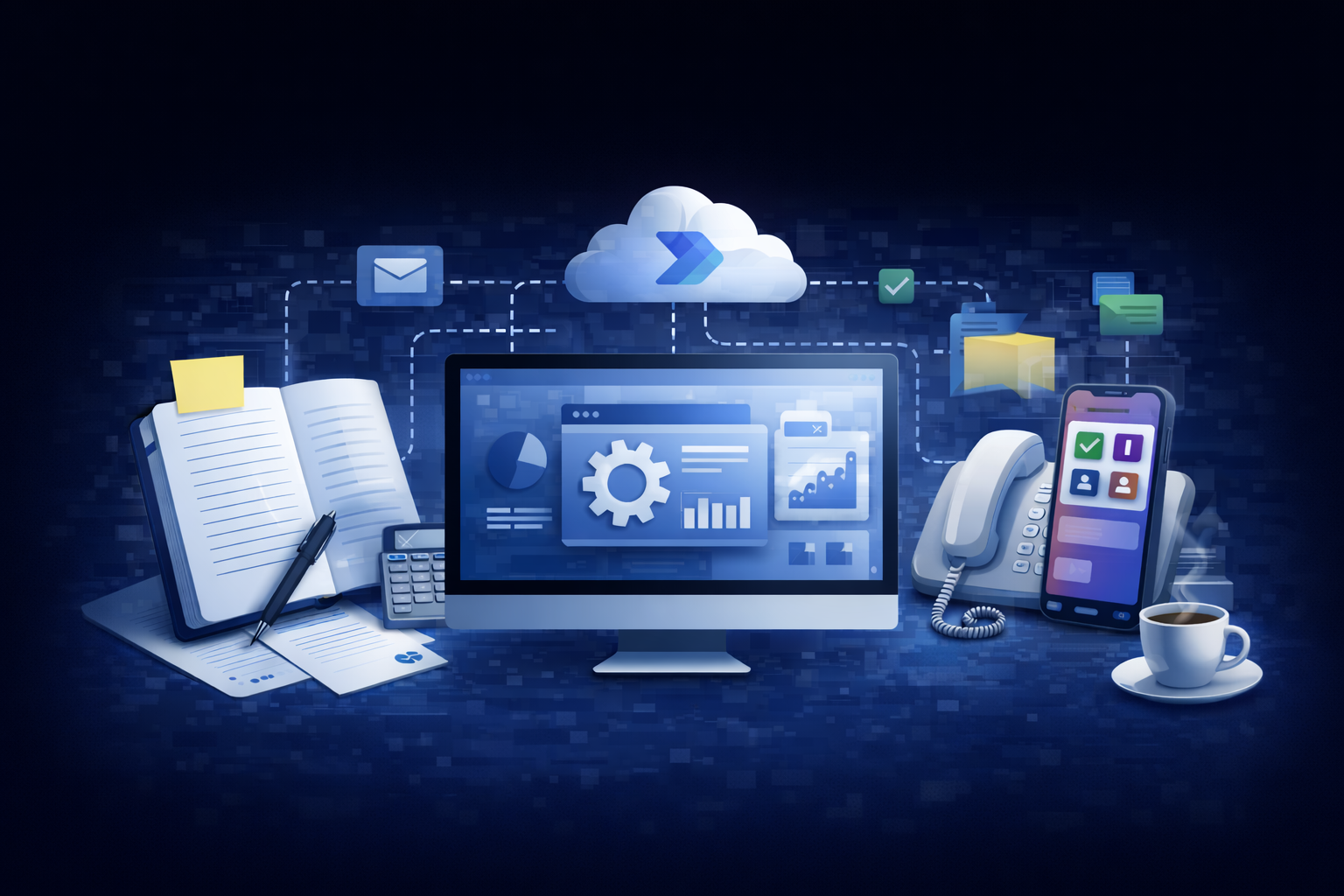
Seamless Workflow
Support existing approval and review steps instead of forcing teams into an entirely new process.
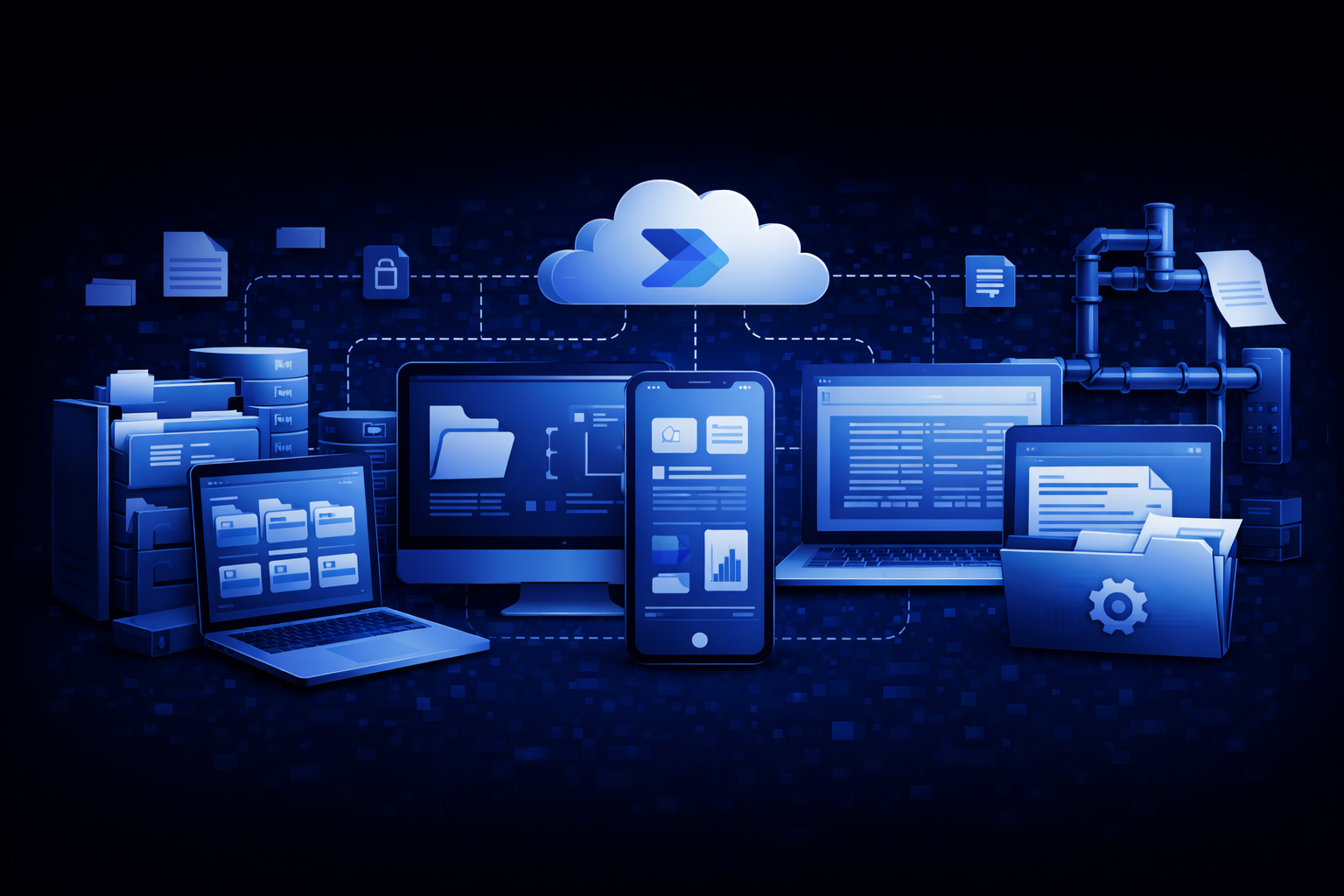
Flexible Setup
Adapt outputs, routing, and field mapping to the way your documents and teams already work.

Frequently Asked Questions

Microsoft & AI
Microsoft What exactly does Microsoft have to do with DocWeaver? +

Microsoft built a sophisticated AI service called Azure Document Intelligence — part of their Azure cloud platform, the same infrastructure that banks, governments, and global enterprises use. Microsoft trained this AI on millions of real business documents so it already knows how to read and understand them. DocWeaver is the workflow layer that connects Microsoft's reading capability to your ERP so data flows automatically. You get Microsoft's AI power without needing a Microsoft enterprise contract or an IT department to run it.

Features Is DocWeaver just another OCR tool? +

No — and this is one of the most important distinctions. Basic OCR just converts an image of text into text. DocWeaver goes several steps further: it understands what it reads, extracts the specific data fields you care about (vendor name, totals, PO numbers, dates), validates that information against your business rules, and pushes approved data directly into your ERP — automatically. Think of OCR as reading. DocWeaver reads, understands, and acts.

Features Can it read handwritten documents? +

Yes. Microsoft's models handle printed, scanned, and many types of handwritten documents. PDFs, scanned images, mobile phone photos, and handwritten forms are all supported. The AI adapts to your documents — you don't have to adapt your documents to the AI. If handwriting is unusually difficult to read, DocWeaver flags that specific field for a quick human review rather than guessing wrong.

Capabilities
Features Can it handle all our different document formats? +

Yes. Microsoft's Document Intelligence was trained on massive variety — your supplier's invoices don't need to look the same as each other. It handles invoices, receipts, purchase orders, delivery notes, contracts, bank statements, and more. The only time it flags something for human review is when scan quality is very poor — and even then, it tells you exactly which field it's uncertain about.

Features We have custom forms unique to our industry. Can DocWeaver handle those? +

Yes. Microsoft's Document Intelligence includes Custom Models — meaning we can train the AI on your specific forms. We show it a set of labeled examples and it learns to extract exactly what you need from your format, every time. You don't need to redesign your forms or standardize your documents. For standard documents like invoices, DocWeaver works immediately. For custom industry-specific forms, we configure it during setup.

Features We're worried about AI errors going into our ERP. How does DocWeaver handle that? +

That's exactly the right concern — and it's one Microsoft designed a specific answer for. Every piece of data the AI extracts comes with a confidence score. DocWeaver uses that score to automatically route uncertain extractions to a human reviewer before anything gets posted to your ERP. Nothing enters your system that hasn't been verified at high confidence or reviewed by a person. For financial documents, Microsoft's own recommendation is targeting close to 100% accuracy — and that's the standard we build to.

Integrations
Integrations Which ERP systems does DocWeaver connect to? +

DocWeaver connects to your existing ERP without requiring an overhaul. Supported systems include Infor, SAP, Microsoft Dynamics, NetSuite, Oracle, Epicor, Sage, and many more — if your business runs on an ERP, chances are DocWeaver works with it. It slots into your current workflow and adds automation where it counts most, with no need to replace or reconfigure what you already have.

Fit Will it work with our current workflow? +

Yes — DocWeaver is designed to fit around your existing process, not replace it. Documents can come in via email, upload, scan, or mobile photo. Approved data posts directly to your ERP. Human review only kicks in when the AI's confidence is low or an approval step is required. Your team doesn't need to change how they work — DocWeaver removes the manual steps in between.

Operations & Setup
Ops How long does implementation take? +

For standard document types like invoices and purchase orders, DocWeaver can be up and running quickly — Microsoft's prebuilt models require no training from scratch. For custom or industry-specific documents, there's a short configuration period during setup. Either way, there's no large IT project required and no need to overhaul your existing systems.

Ops Does someone have to review every document? +

No. The vast majority of documents process automatically. Human review only kicks in when the AI's confidence is low, data looks unusual, or an approval step is required by your business rules. This keeps accuracy high without your team becoming a bottleneck on everyday documents. Most teams find that only a small percentage of documents need any human attention at all.

Ops Is this AI going to replace our people? +

No. DocWeaver handles the repetitive, high-volume work: reading documents, extracting data, validating it, and posting it to your ERP. Your team shifts from doing data entry to reviewing exceptions — the cases the AI isn't confident about, and approvals that genuinely need human judgment. Most teams handle significantly more volume without adding headcount, and the work becomes more meaningful.

Security & Fit
Security How secure is our data? +

DocWeaver is built on Microsoft's Azure infrastructure — the same environment that banks, governments, and Fortune 500 companies trust. Data handling is configured to align with your company's own security policies. You're not relying on a startup's security promises; you're on Microsoft's infrastructure, with enterprise-grade compliance and data protection standards.

Fit Is DocWeaver built for businesses our size? +

Yes. DocWeaver gives small and mid-sized businesses access to the same Microsoft AI infrastructure that large enterprises use — without the enterprise price tag or IT complexity. You get enterprise-grade document intelligence sized and priced for your business. No heavy implementation project, no dedicated IT team required.

See DocWeaver in Action

Discover how your documents can flow directly into your ERP—accurately, automatically, and without complexity.

Turn Any Document into ERP-Ready Data—Powered by Microsoft AI

Contact Us

1221 Brickell Avenue Miami Florida, 33131

+(426) 266 348 76

example@ecoplant.com

Copyright 2026, DocWeaver. All Rights Reserved.